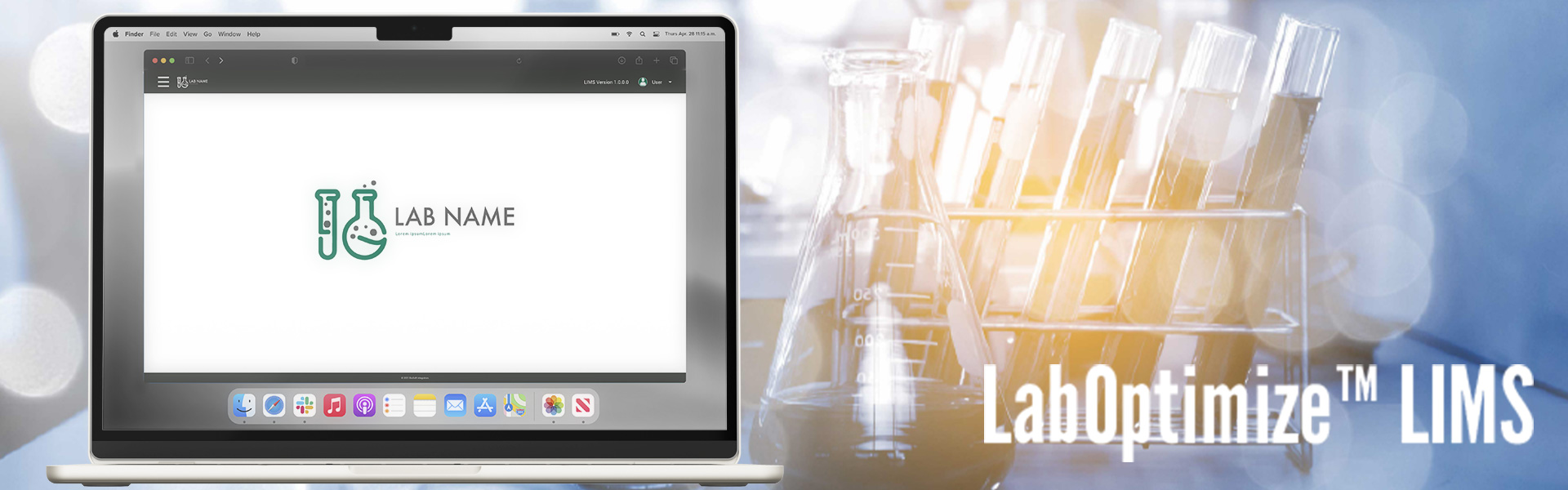
LabOptimize System™
A configurable Laboratory Information Management System (LIMS) built on Java and XML. Designed for scalability and adaptability, it serves various types of labs, including genomics, research, diagnostics, clinical, and biosafety laboratories. By supporting custom code integrations, LabOptimize enhances workflow efficiency, reduces operational costs, and saves time for organizations.
The system was developed two years before I started working on it. Initially, it was created without any UX guidelines, resulting in an outdated and unappealing UI that hindered usability and adoption.
Company: BioSoft Integrators
Project Type: Software
My Role: Lead UX-UI Designer
Timeline: January 2019 to December 2020
Main areas of responsibility: I worked closely with the Head of Commercial, VP of Product Development, and VP of Operations to create an intuitive and efficient user experience. Our goal was to develop a scalable system that seamlessly integrates with diverse lab environments while maintaining ease of use.
Tools Used: Adobe XD, Jira, Zoom.
Problem Statement
Laboratories face significant challenges in managing data, ensuring compliance, and maintaining efficient workflows. Many existing LIMS solutions lack flexibility, forcing labs to either modify their workflows or invest in costly, rigid systems. Biosoft Integrators LLC sought to create a more adaptable system that could be tailored to each lab’s unique requirements while minimizing disruption and cost.
UX Challenges
- Complexity of Configurability: Ensuring a user-friendly experience while allowing deep customization.
- Scalability Needs: Designing an interface that remains intuitive as lab operations grow.
- Diverse User Base: Creating a system that accommodates different lab environments, from research to diagnostics.
- Workflow Optimization: Streamlining the process for users to integrate their workflows without excessive training.
Design Process
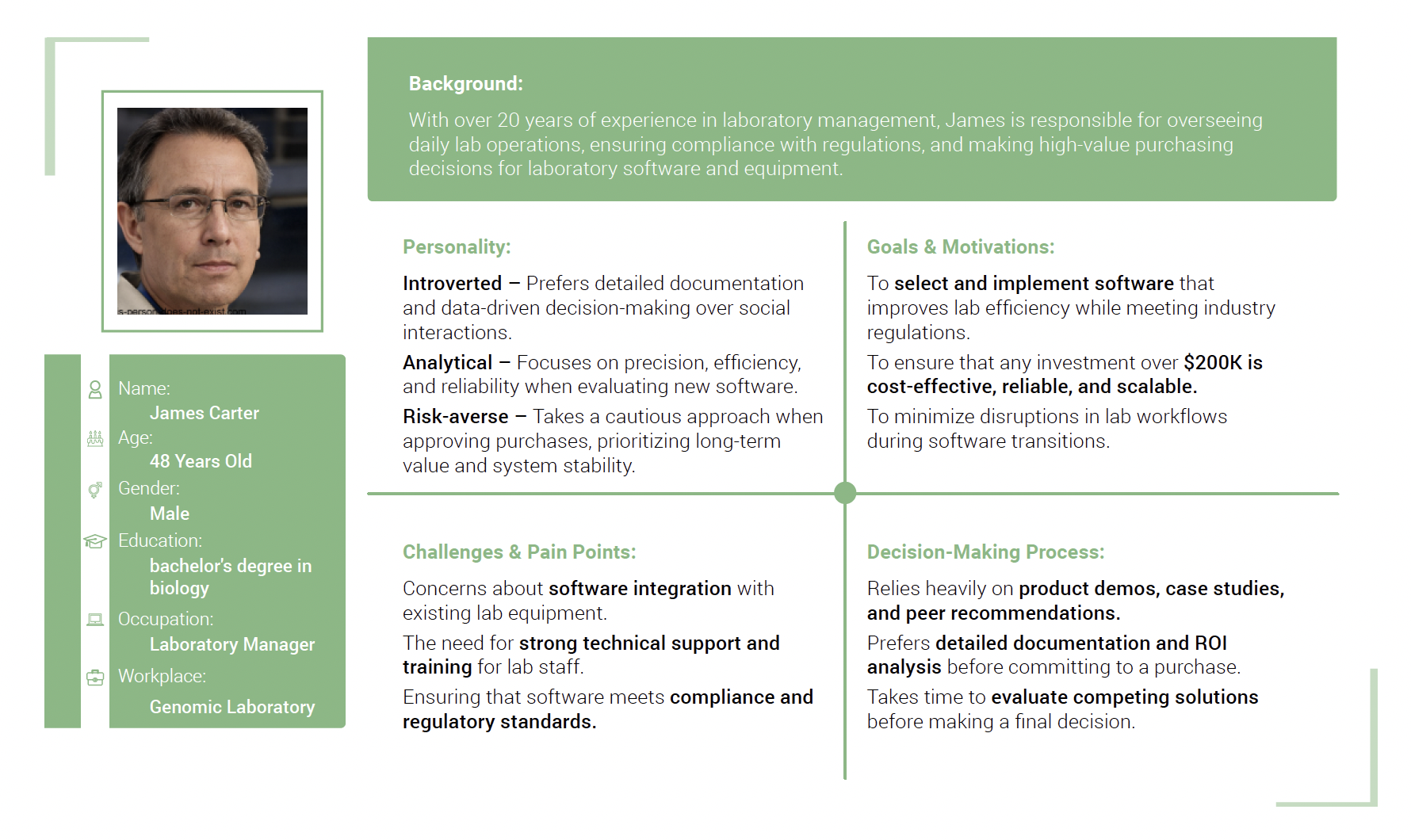
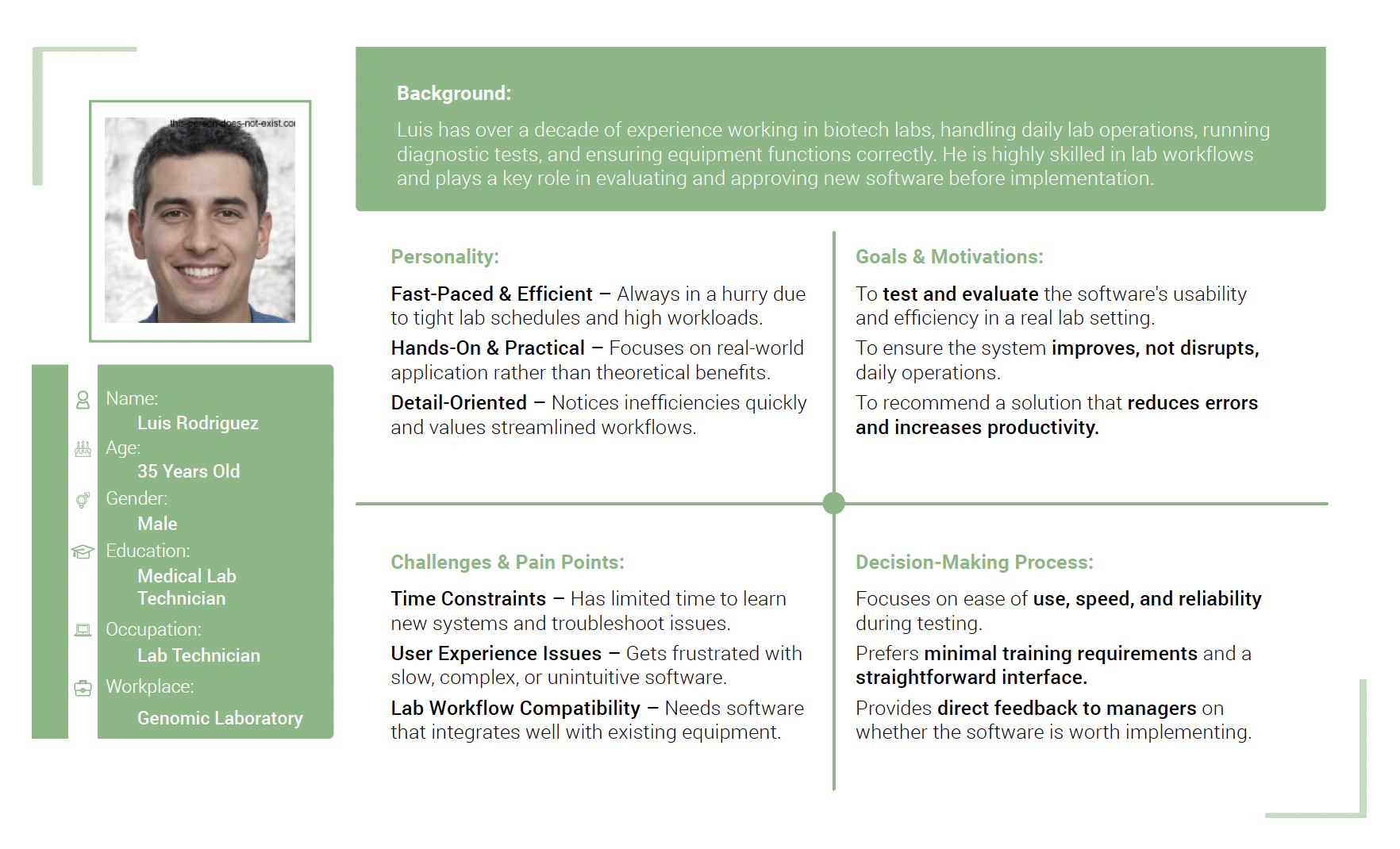
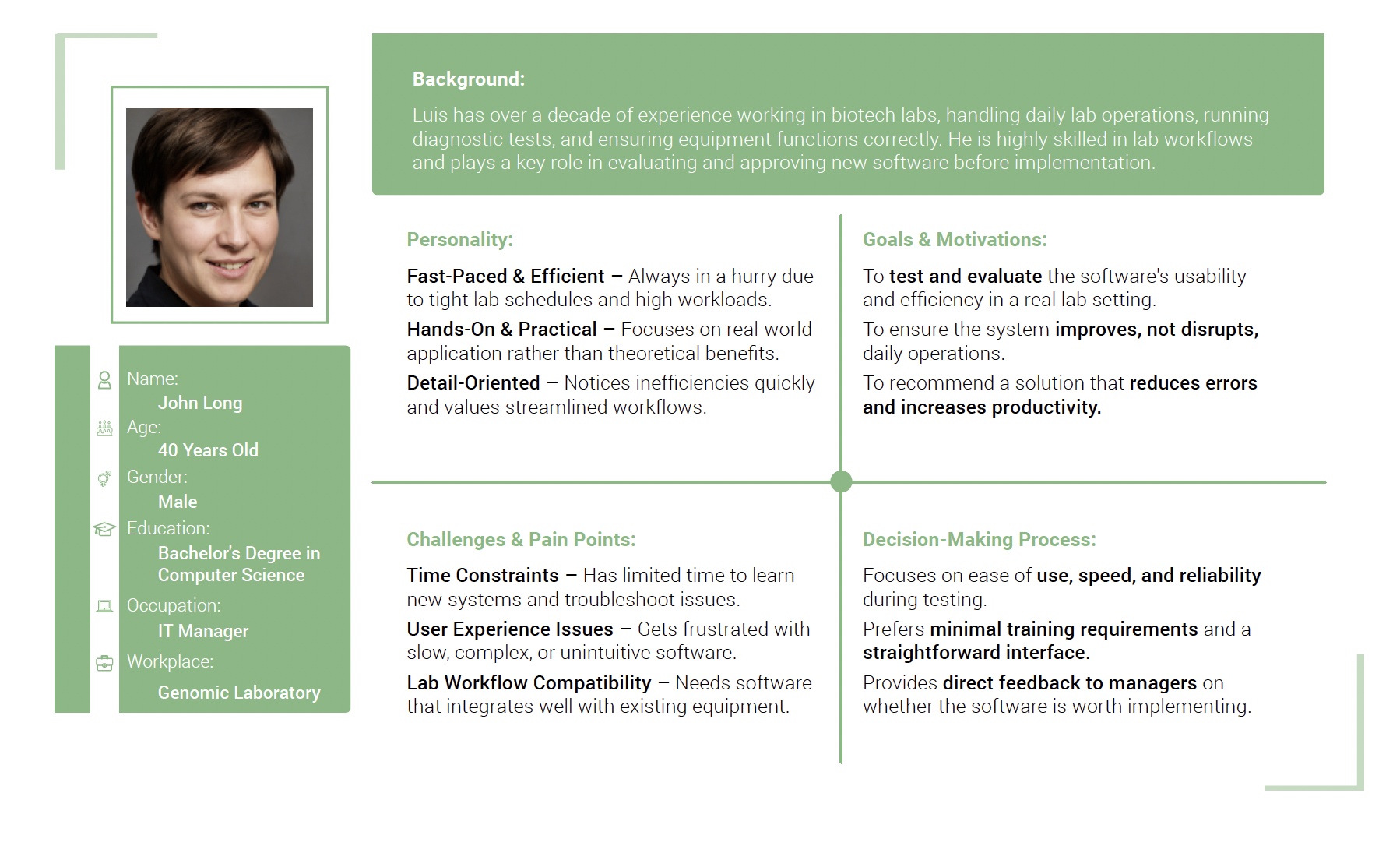
User Research & Personas:
Conducted interviews with lab technicians, researchers, and IT managers to identify pain points and requirements.
User Testing:
We tested the system with lab technicians from microbiology labs and genomic lab scientists to ensure usability. Additionally, IT
teams evaluated the system to verify that the scalability features were functioning as expected.
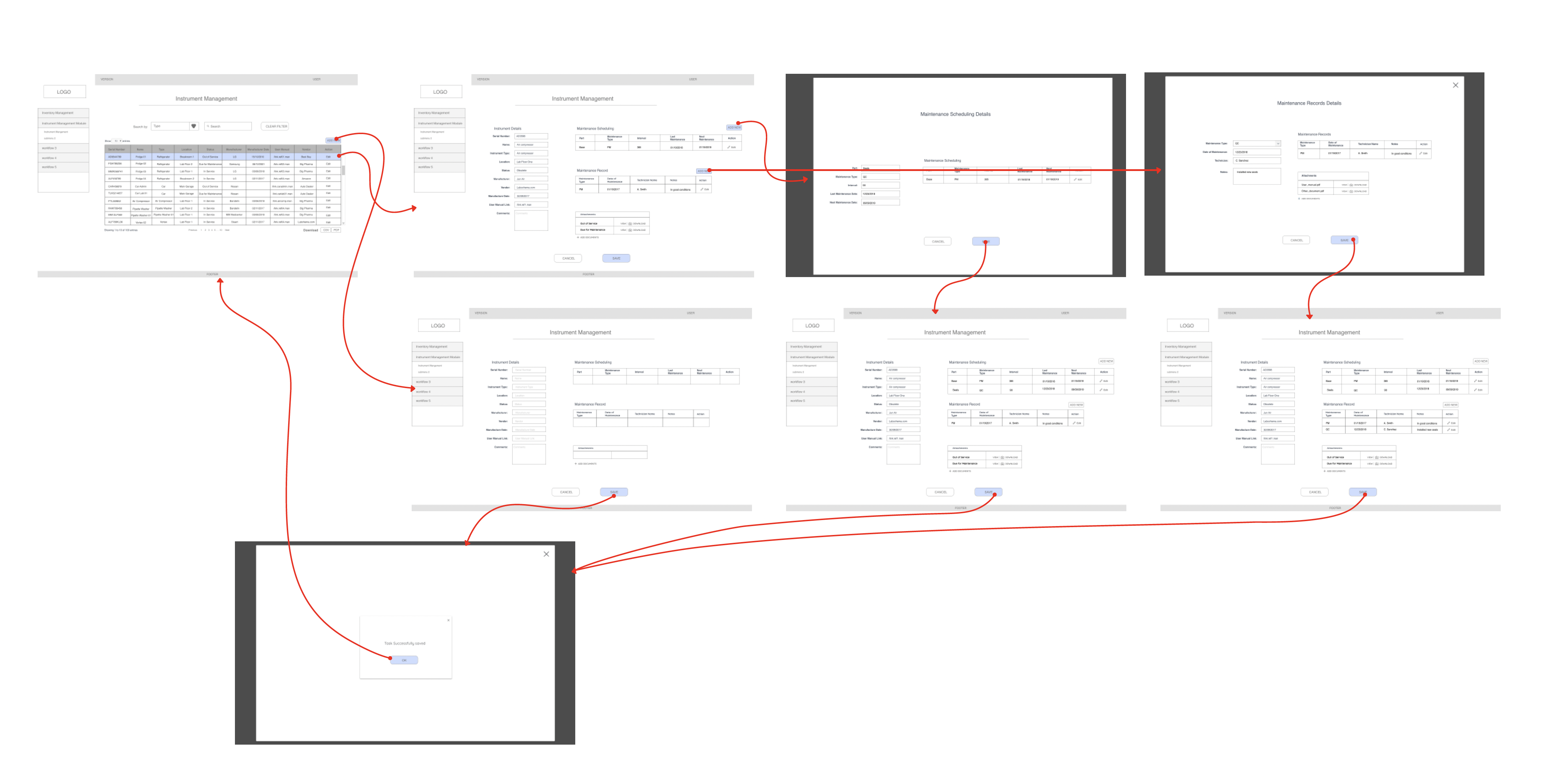
Information Architecture & Wireframes:
Developed an intuitive navigation structure, ensuring seamless access to key functionalities.
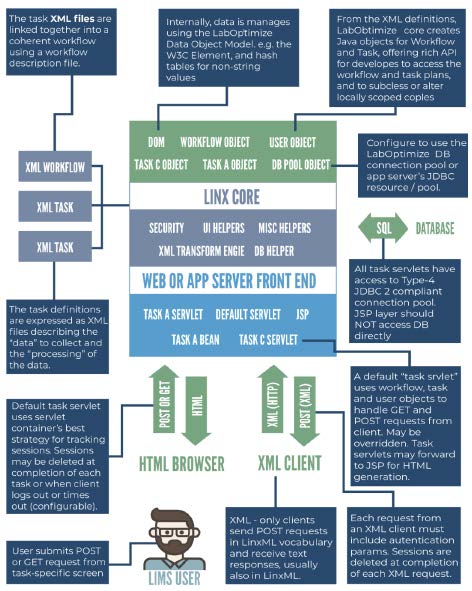
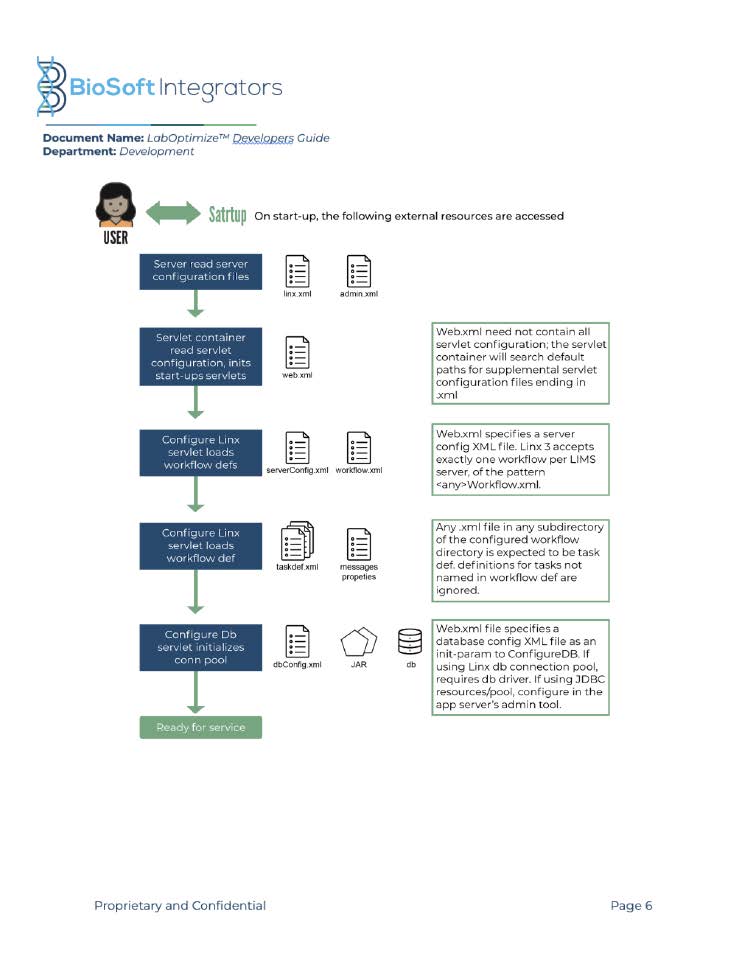
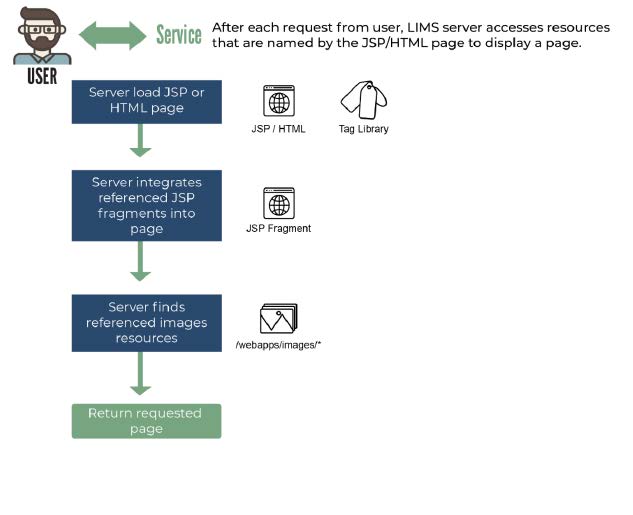
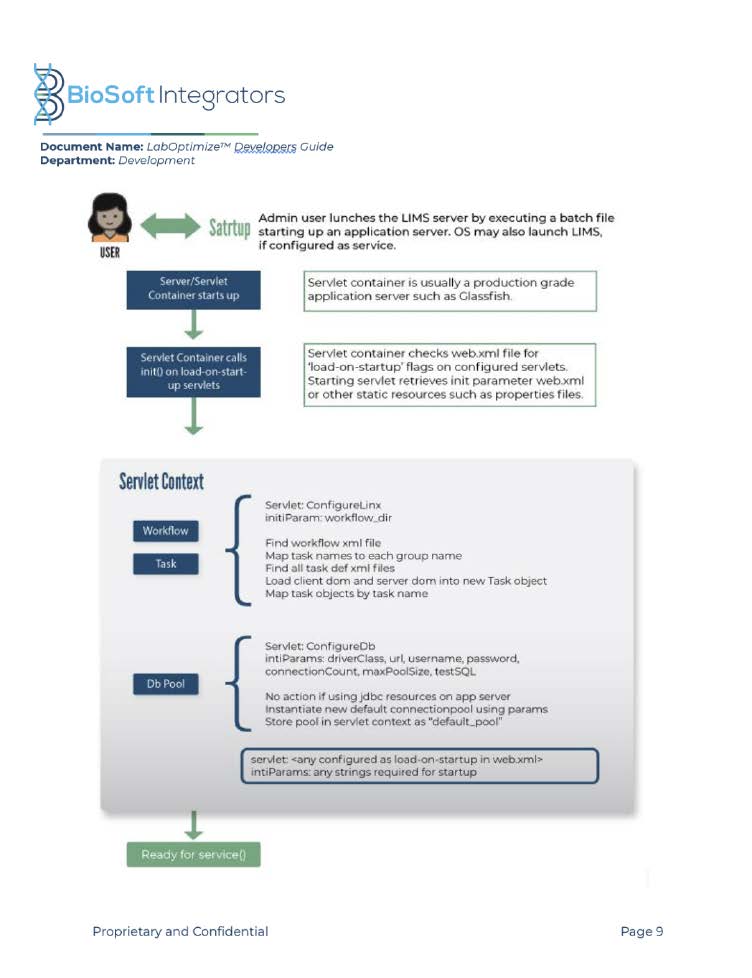
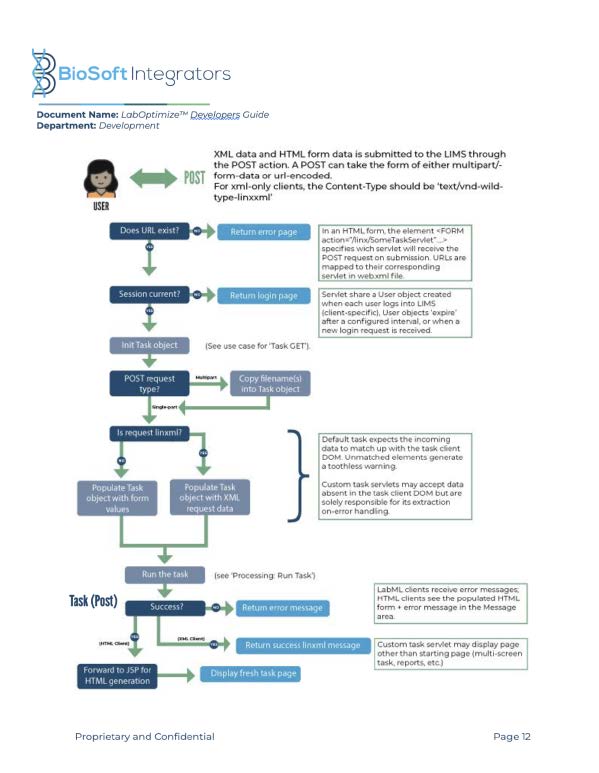
Infographics were used to illustrate how the system architecture functions and how it seamlessly integrates with various lab workflows. These visuals effectively communicated the system’s complexity to work teams and stakeholders, making it easier to understand its structure and capabilities.
Prototype Testing:
Created interactive prototypes for early feedback and usability testing.
Iterative Design & Development:
Adjusted the UI/UX based on real-world testing and feedback from lab users.
LIMS Guidelines
Font
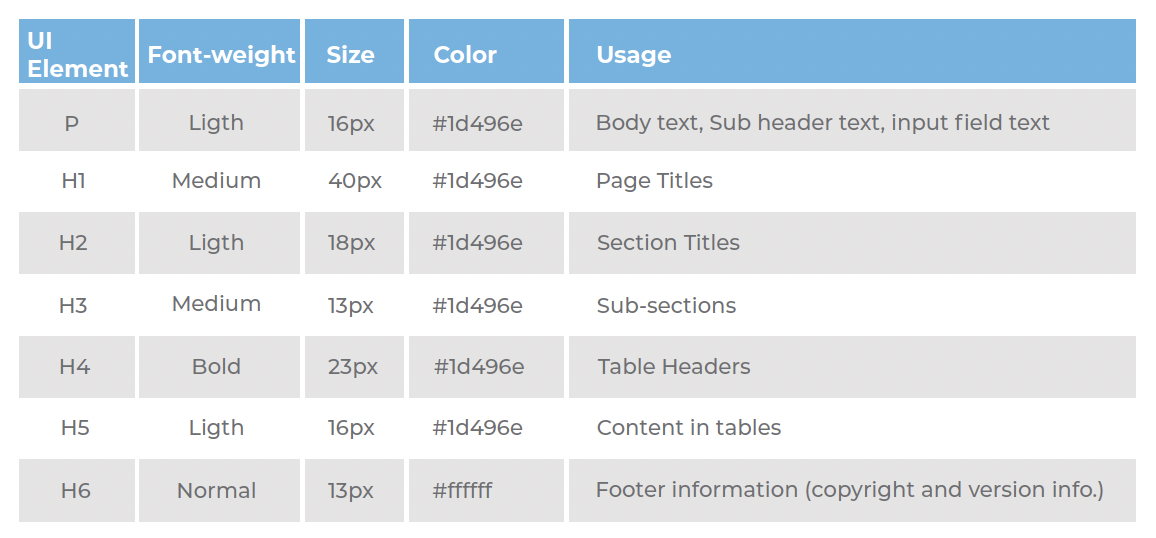
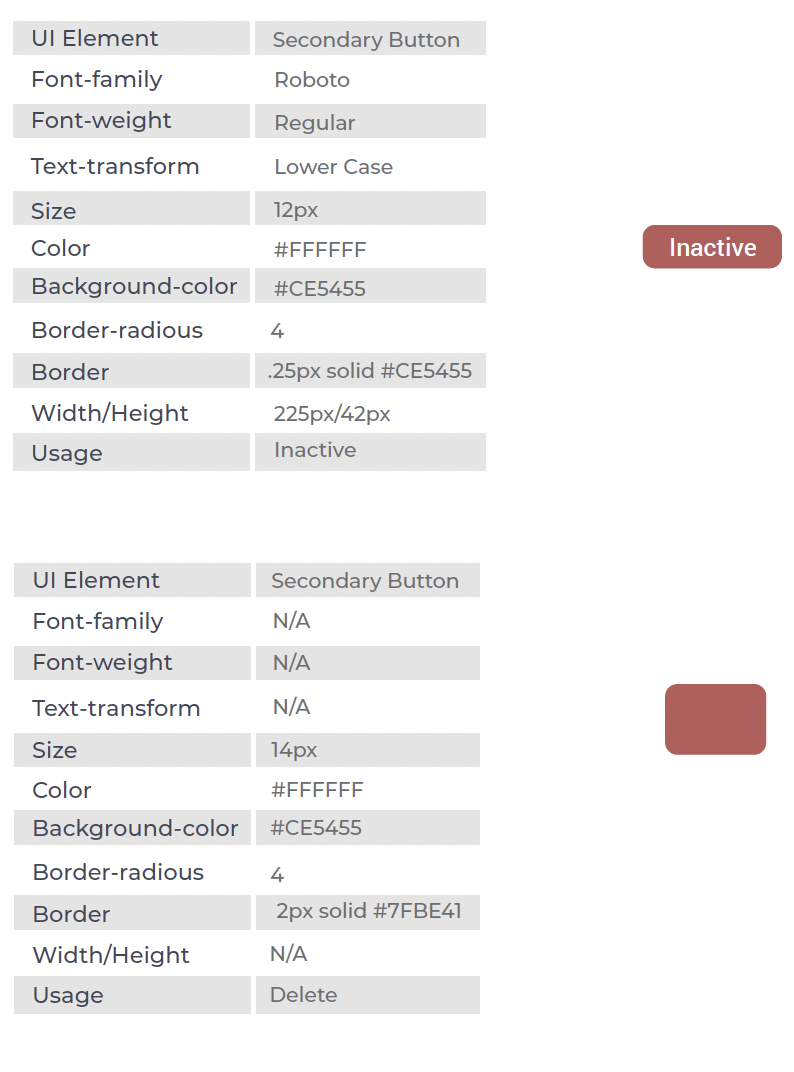
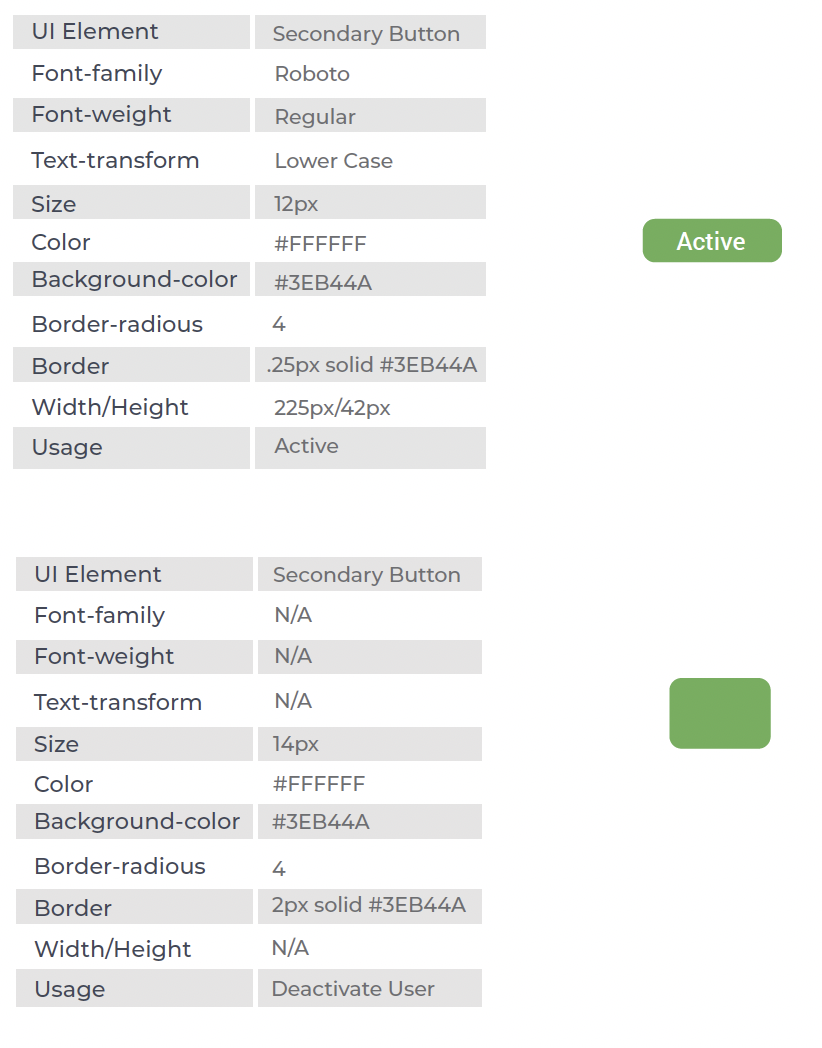
The LIMS Font is Roboto, is available to download directly from google fonts. Below is displayed the correct font application for each UI Element
Call-To-Action and Link Styles
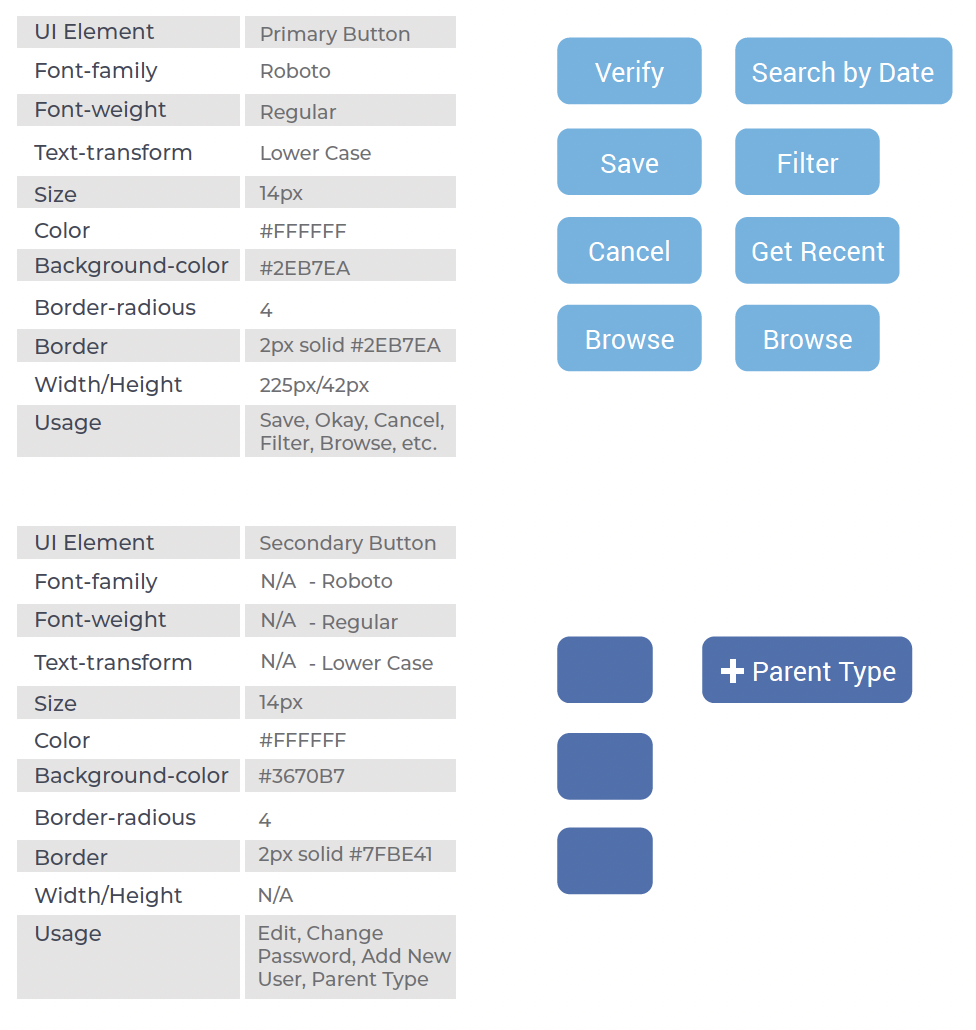
Call to action are visual representations used to communicate the status of a component or interactive element.
Call-To-Action and Link Styles
The elements displayed below communicate when a component or button isn’t available, active, or interactive.
Call-To-Action and Link Styles
The elements displayed below communicate when a component, element, sample, or button is available, active, or is interactive.
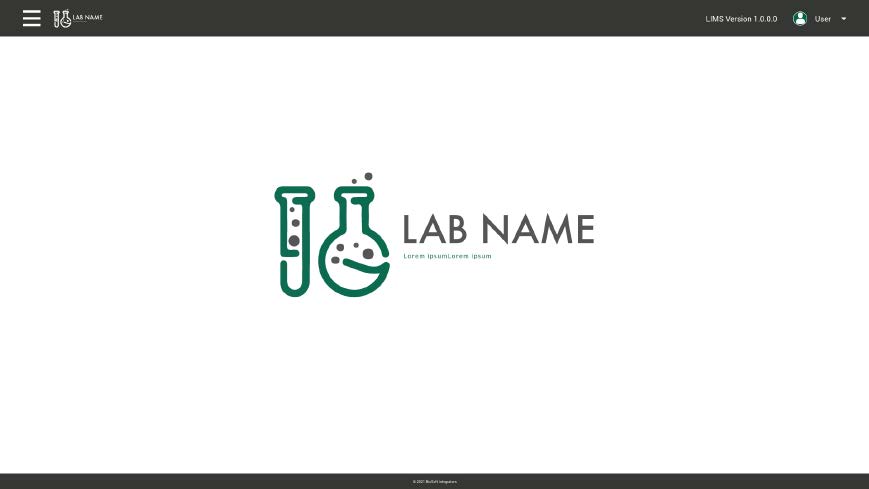
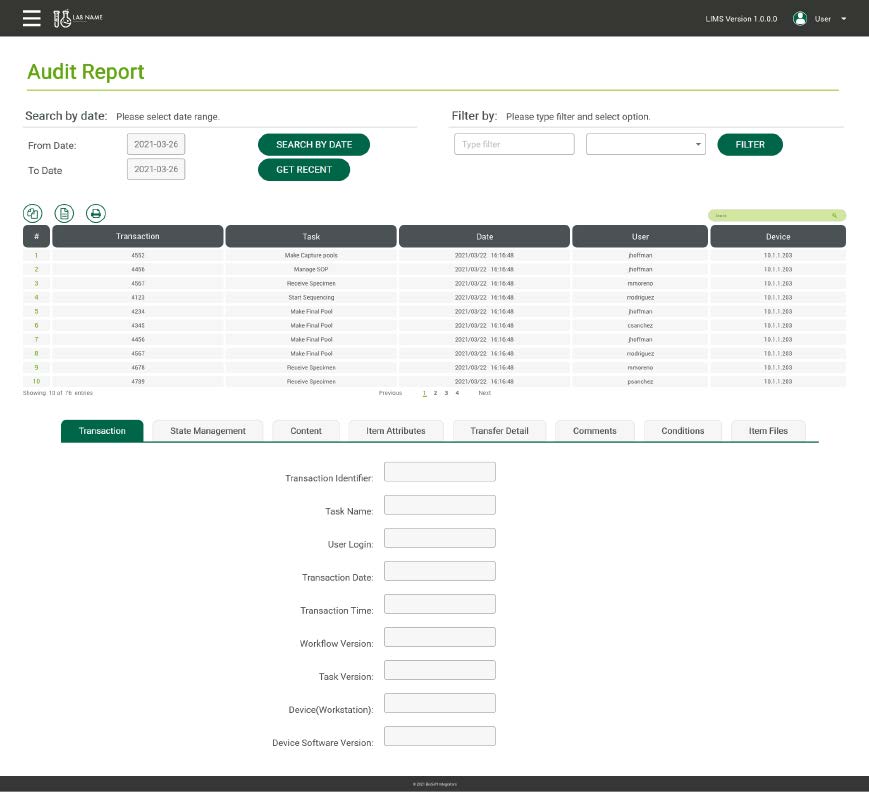
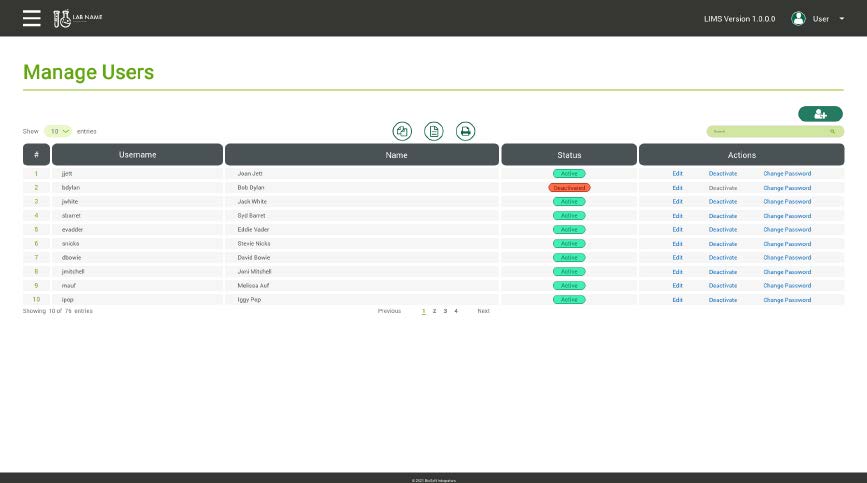
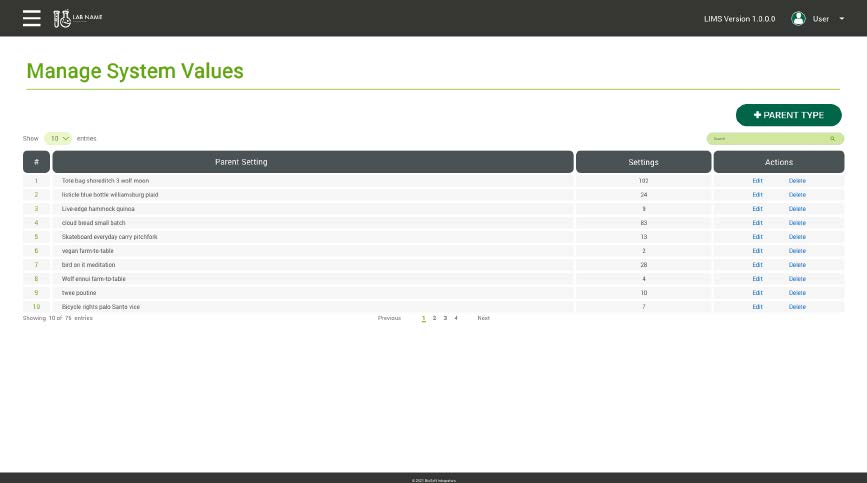
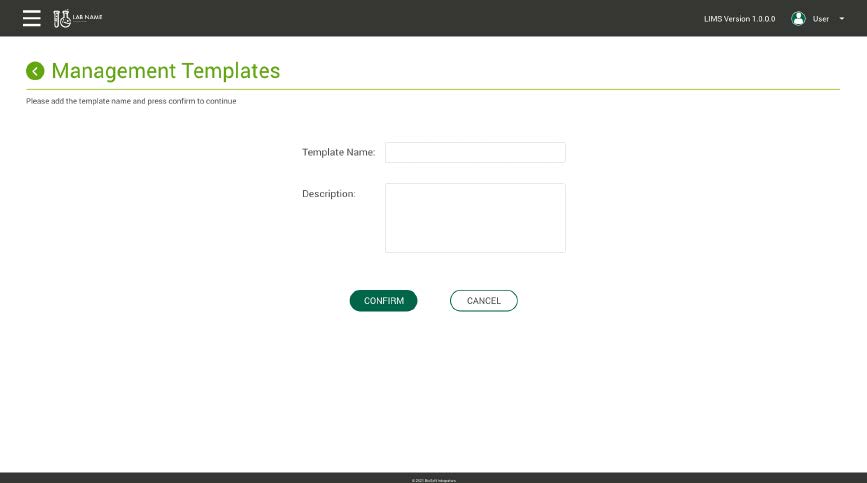
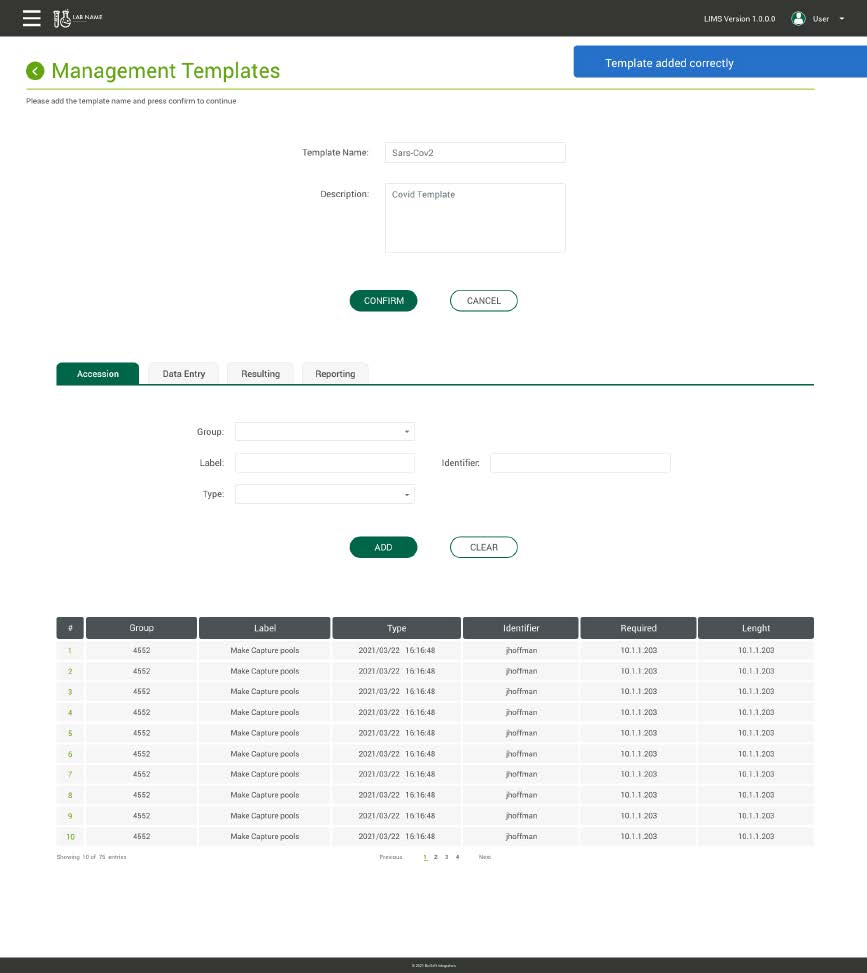
LIMS Base ready to be rebranded
Key UX Solution
Data Storage Options:
Data could be stored in the cloud or on a local server, providing flexibility for different lab requirements.
Modular Dashboard:
Customizable UI elements to display relevant data per user role.
Guided Configuration Wizard:
Simplifies the process of setting up lab-specific workflows.
Enhanced Search & Filtering:
Quick access to specific data, reducing time spent navigating the system.
Accessible & Scalable Design:
Ensures usability across different lab types and sizes.
Results & Impact

30% Reduction in Workflow Setup Time
Users reported significantly faster onboarding and configuration.

Improved Adoption Rates
Higher engagement due to a user-centric design approach.

Enhanced Flexibility
Labs could implement custom integrations without extensive coding expertise.
Conclusion
The LabOptimize System™ successfully addressed the need for a scalable and configurable LIMS solution. By focusing on UX-driven design, Biosoft Integrators LLC delivered a system that enhances efficiency, reduces costs, and improves overall lab operations. Ongoing updates and user feedback continue to shape the evolution of LabOptimize, ensuring it remains a leading solution for modern laboratories.