

Case Study: Avera Genetics LIMS
Architecting a High-Throughput Clinical Genomics Interface for Zero-Tolerance Laboratory Environments
Project Overview
Client / Partner: Avera Institute for Human Genetics (AIHG) / BioSoft Integrators
Role: Lead UX/UI Designer (End-to-end UX architecture, workflows & visual interface)
Collaboration: VP of Product, Business Analyst, Engineering, and weekly co-design sessions with Lab Technicians and Laboratory Administrators
Scope & Context: High-throughput genomics sequencing laboratory processing samples from diverse enterprise clients (ixLayer, BSI, PGx). Replacing an obsolete, manual LIS system reliant on external spreadsheets with a unified, barcode-first LIMS platform.

The Problem & Clinical Context
The Avera Institute for Human Genetics conducts large-scale, high-complexity genetic sequencing across various clinical and commercial protocols. Previously, the laboratory operated on a legacy, bare-bones LIS. Core workflows—such as consumable tracking, inventory qualification, and quality control (QC)—were uncoupled from the software and tracked through external spreadsheets and fragmented manual records.
The Cost of Failure in Genetic Sequencing
In molecular genetics, an undocumented lot number, an expired reagent, or a mislabeled well can invalidate an entire multi-sample assay. This results in thousands of dollars in wasted consumables, lost machine hours on sequencers, and delays in critical diagnostic reporting.
The primary business and design objective was to build a unified, rigid custody-tracking system that minimized human operational error while maximizing throughput speed.


Design System Specification
Core Design Principles
The Avera Laboratory Information Management System (LIMS) UI framework provides a standardized interface for high-throughput genomic and molecular diagnostic workflows.
1. High Information Density: The interface maximizes screen real estate, allowing laboratory personnel to review dense sample tables, instrument states, and inventory lists with minimal scrolling or navigation depth. Compact row heights, crisp borders, and structured grids support rapid data review.
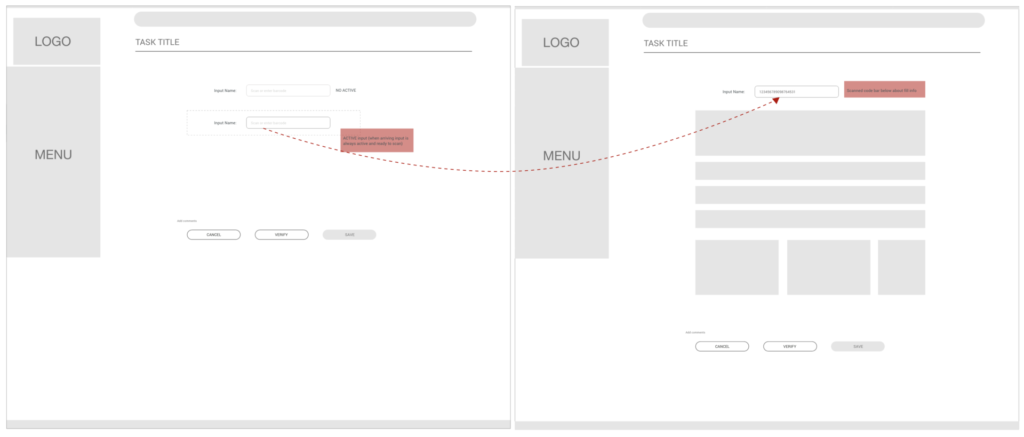
2. Scan-First & Fast Interaction: Standard laboratory operations prioritize automated barcode input and hardware scanner listening. Active input fields auto-focus on screen load, providing direct feedback for rapid continuous scanning sequences without requiring manual pointer repositioning.
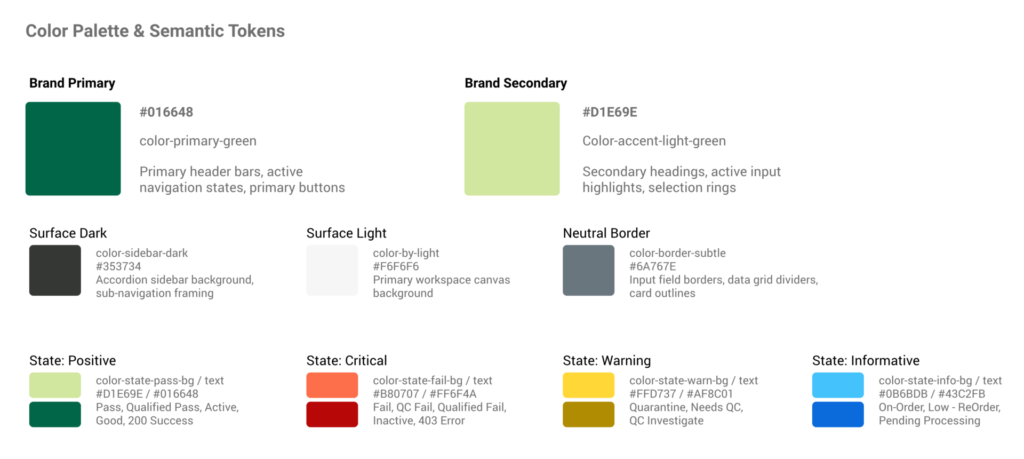
3. Semantic Color-Coding: Visual feedback strictly adheres to unambiguous semantic color tokens. Quality control (QC) outcomes, inventory supply thresholds, and system integration communications rely on consistent state-specific hues to prevent human operator error.
Color Palette & Semantic Tokens
The color system balances a neutral clinical palette with high-contrast semantic indicators for laboratory status values.
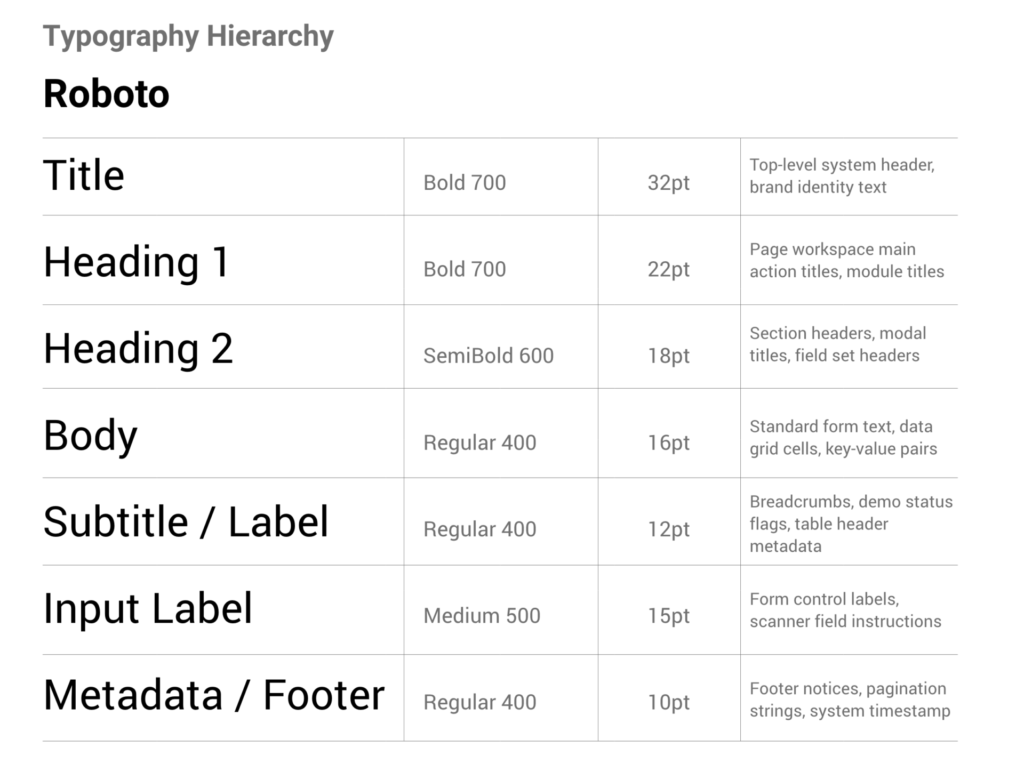
Typography Hierarchy
The default font family across all modules is Roboto, fallback to «Segoe UI», sans-serif.
Layout & Screen Architecture
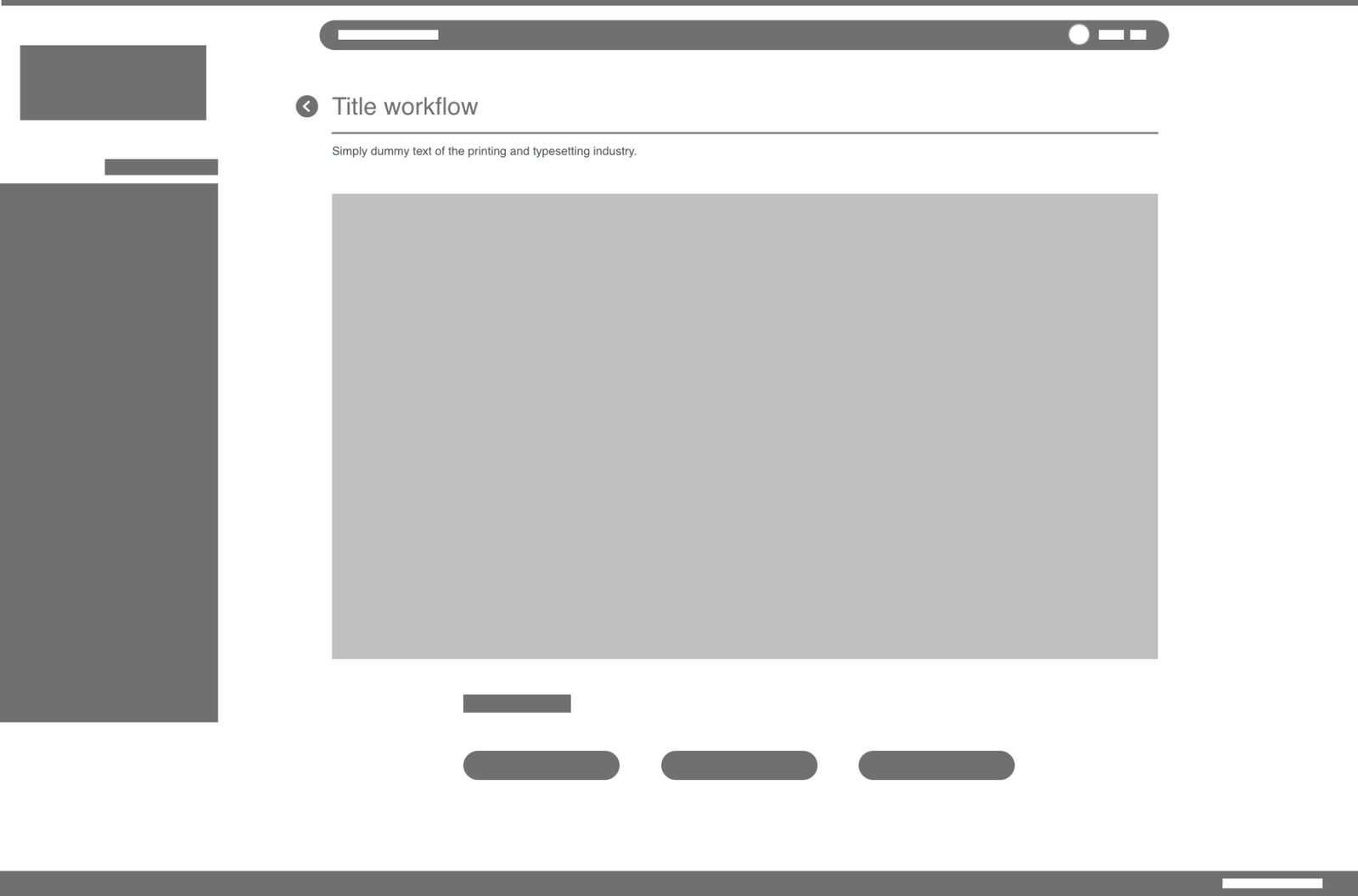
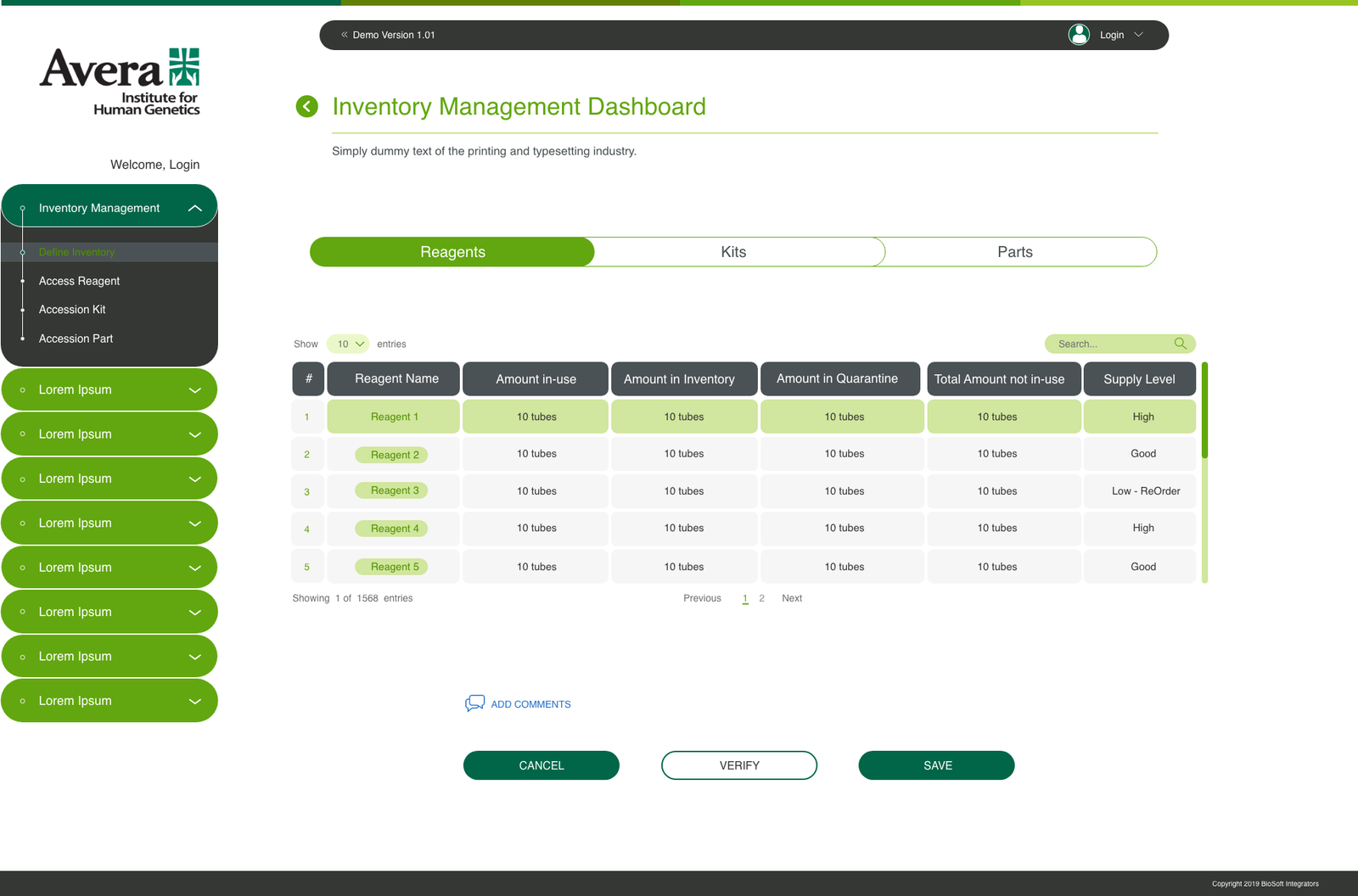
The screen hierarchy consists of four fixed zones: Top Header, Left Accordion Navigation, Primary Workspace, and Global System Footer.
Header
The top banner maintains visual continuity across all functional modules.
- Left Section: Includes institutional branding («Avera Institute for Human Genetics») alongside module identity titles.
- Center Section: Version indicator display (e.g., << Demo Version 1.01).
- Right Section: User login state indicator (Welcome, Login or user context profile).
Workspace Area
The primary viewport contains contextual form controls, search bars, data tables, or procedural workflow wizards.
- Workspace cards utilize white backgrounds (#FFFFFF) framed against a neutral canvas (#F8FAFC).
- Primary action buttons reside in fixed control footers at the bottom right of active workspace forms.
Accordion Sidebar Navigation
The left-hand sidebar acts as the primary navigation hierarchy with accordion expansion functionality.
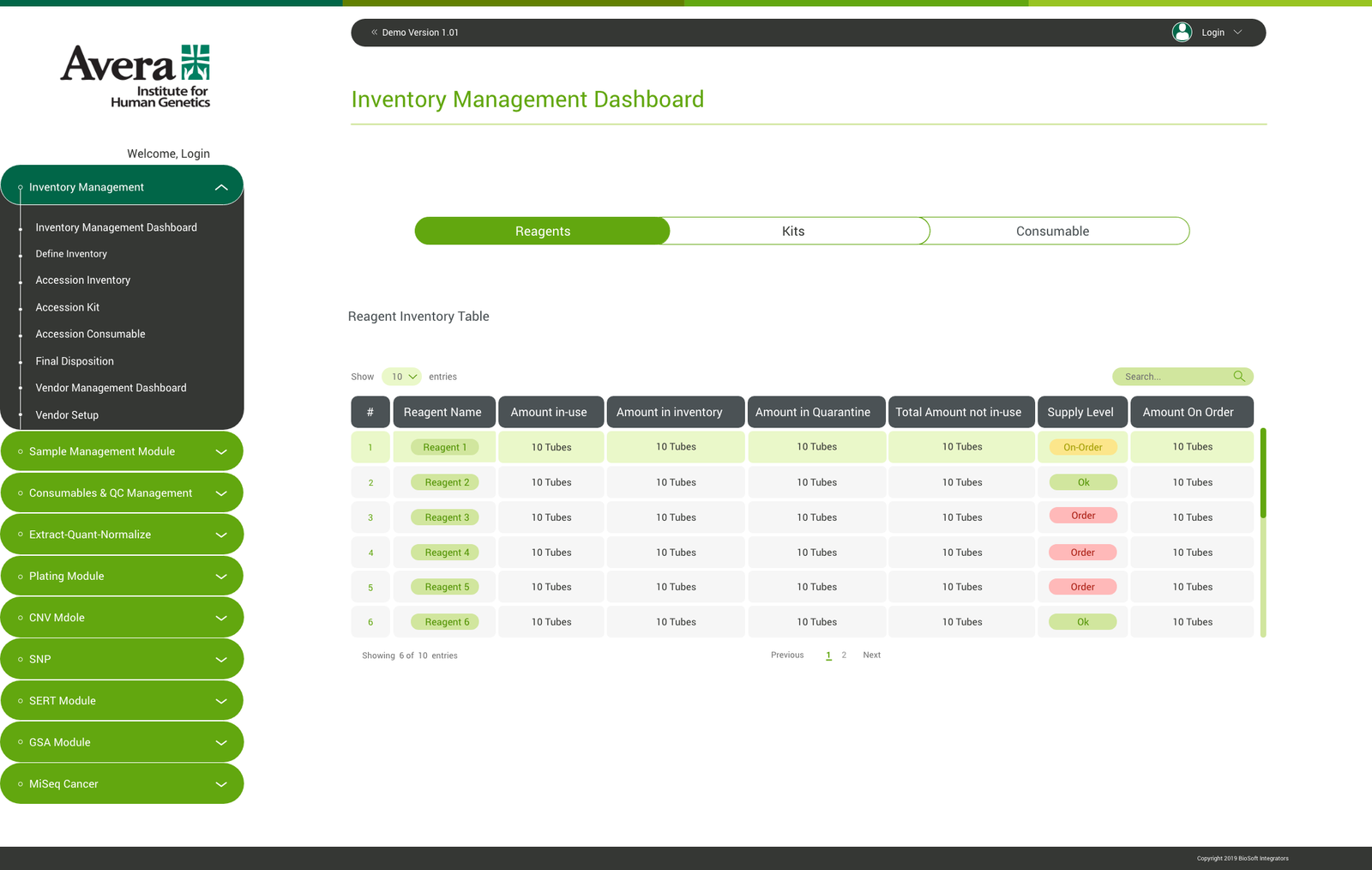
- Main Categories: Top-level items feature bulleted tree roots (e.g., Inventory Management, Sample Management Module, Consumables & QC Management, Extract-Quant-Normalize Module, Admin Tools).
- Sub-Navigation: Nested links inherit indent levels and display step-specific operational destinations (e.g., Qualify Inventory Lot, Incubate Saliva, Start EQN, Manage Users).
Global Footer
The page footer contains legal copyright metadata, vendor credits, and current user configuration context.
Clinical User Persona Cards
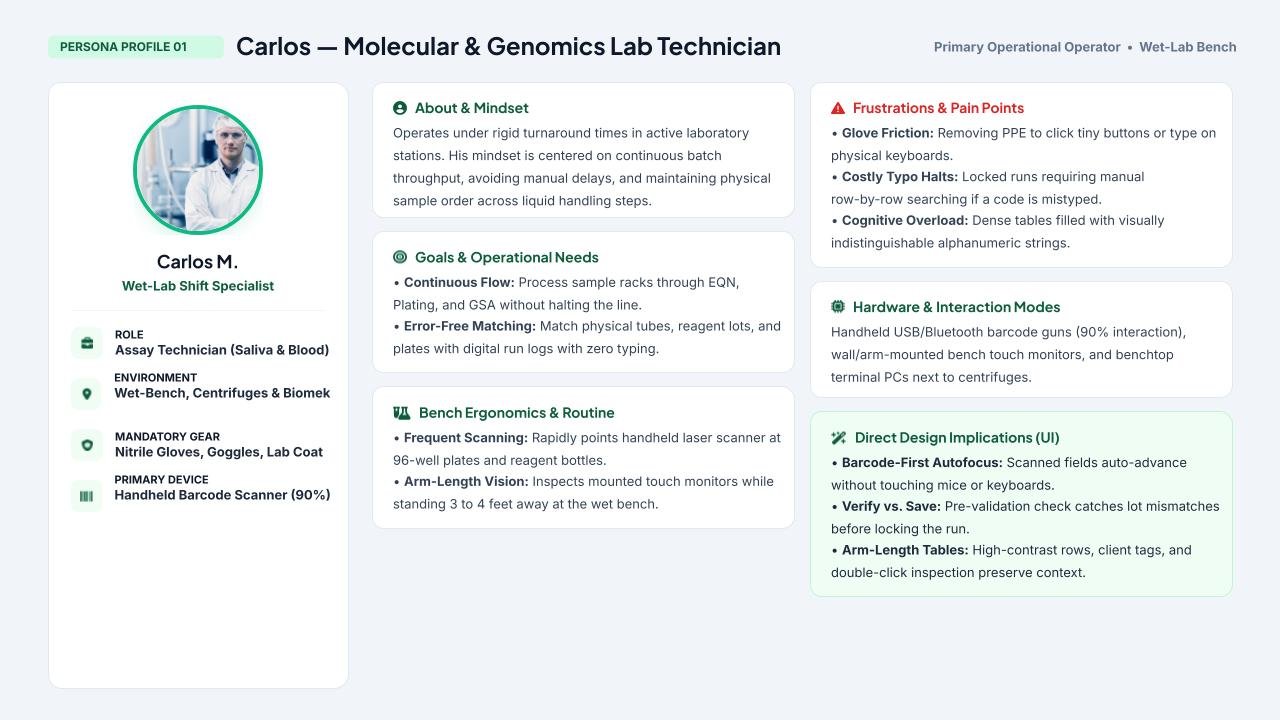
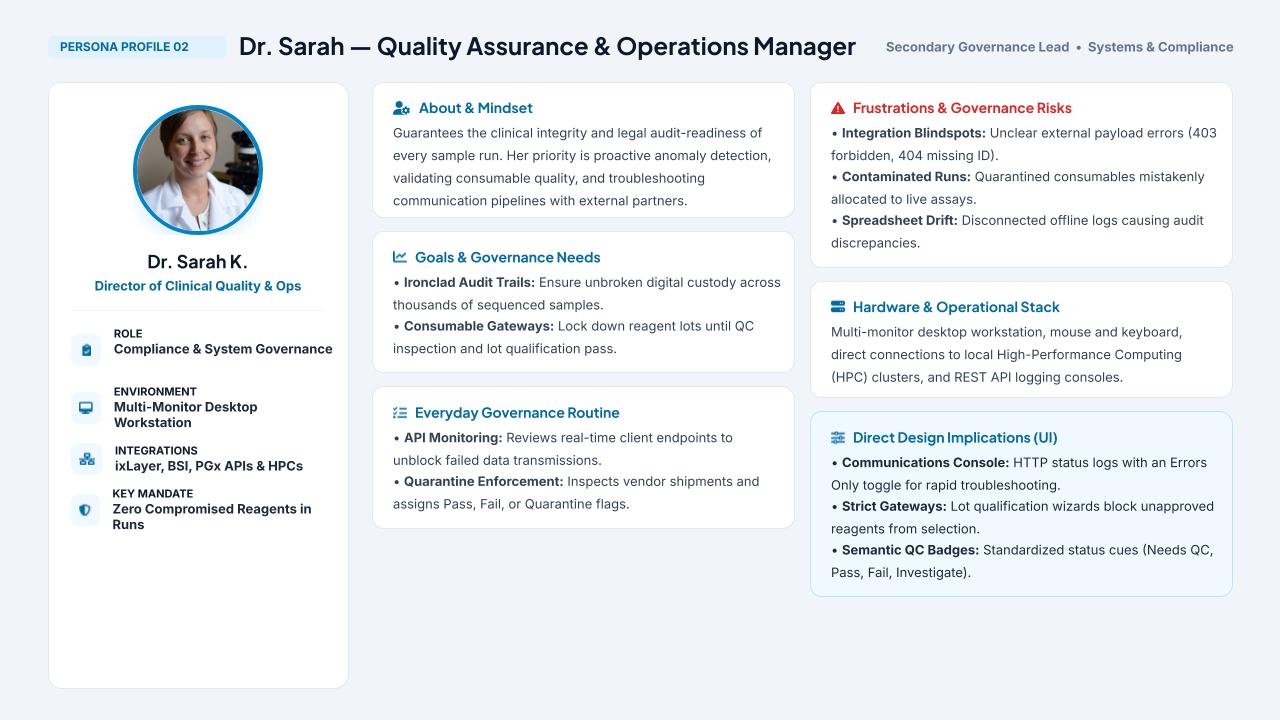
Synthesized single-sheet profile cards mapping wet-bench physical ergonomics against high-level laboratory governance.
Environmental Constraints & Physical Bench Ergonomics
Designing for a wet lab requires understanding the physical ergonomics and cognitive constraints of technicians working in hazardous, fast-paced conditions:
PPE & Touch Screens: Technicians operate wearing latex/nitrile gloves, interacting with mounted touchscreens positioned adjacent to vibrating centrifuges, liquid handlers, and incubators.
Dual Interaction Modality: Fast, continuous transitions between hand-held barcode scanners and desktop/touchscreen keyboards.
High Cognitive Load: Operators process hundreds of identical tubes containing clear liquids. The interface could not afford visual ambiguity; every state, alert, and required action had to be legible at arm’s length.
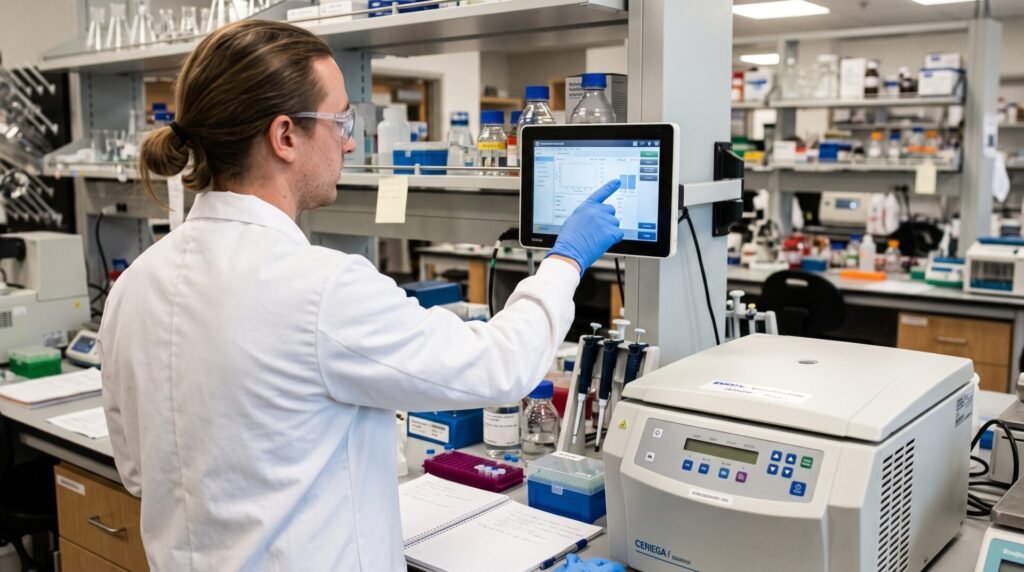
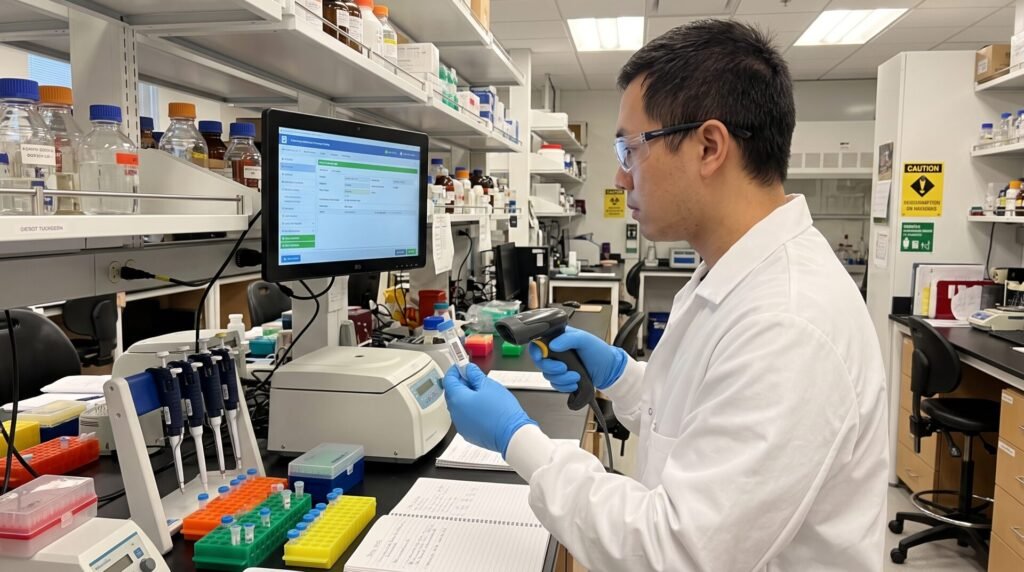
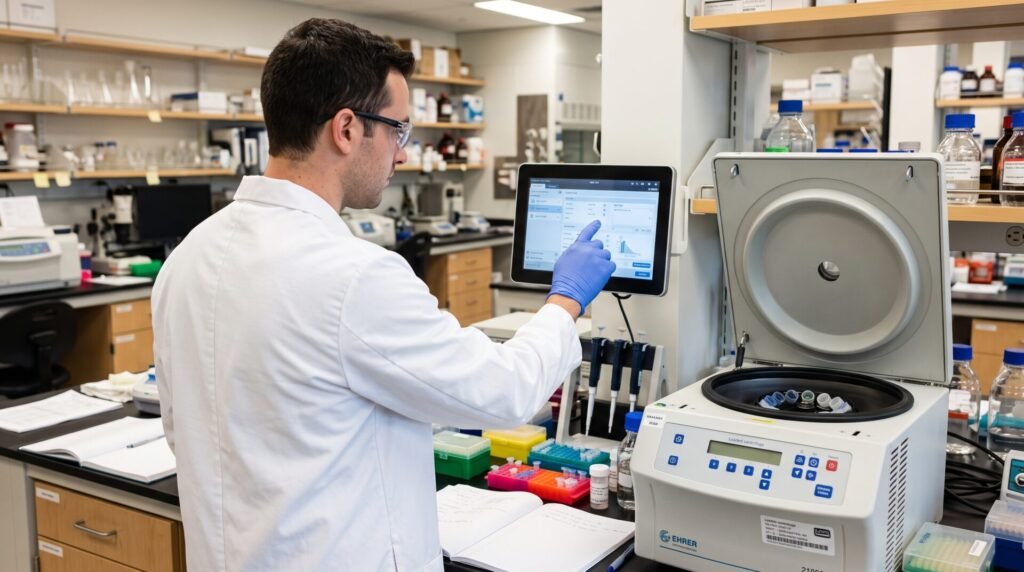
*AI-assisted visual recreation generated to illustrate technician ergonomics, bench equipment layout, and PPE constraints without disclosing confidential laboratory facilities.
Core UX Strategies & Interaction Decisions
A. Barcode-First Input with Auto-Advancing Focus
To eliminate manual typos and reduce physical touch friction, all critical fields (Instrument ID, Reagent Lot Number, Sample ID, Tube Racks) were engineered to prioritize hand-held scanner inputs:
Automatic Field Progression: Once a barcode is scanned into an input, the interface automatically triggers inline format validation and automatically tabs focus to the next field in the sequence, allowing technicians to scan an entire rack without touching the mouse or keyboard.
Manual Fallback: Manual typing remains available for edge cases (e.g., smudged or damaged physical labels).
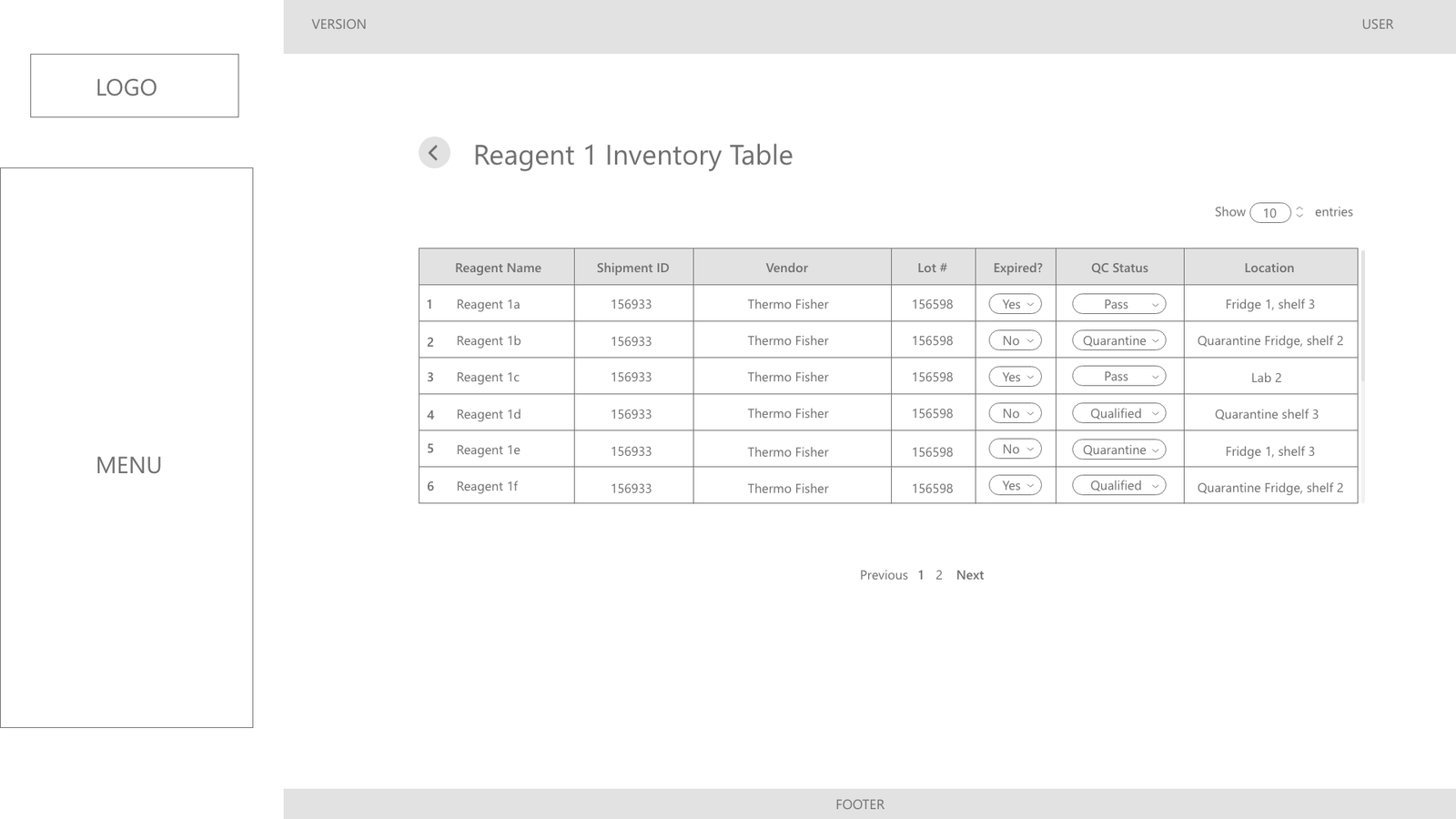
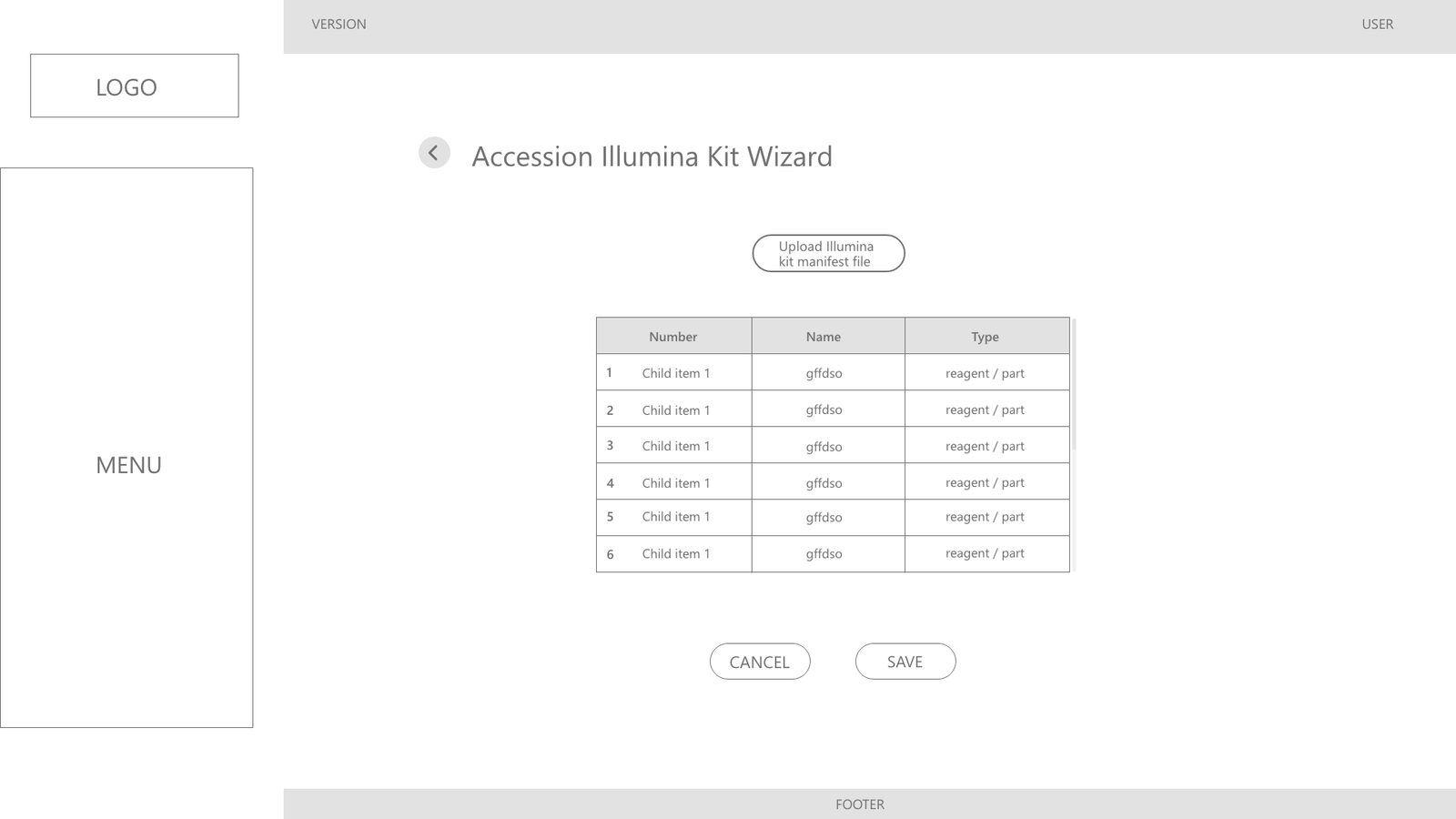
B. High-Density, Scannable Data Grids
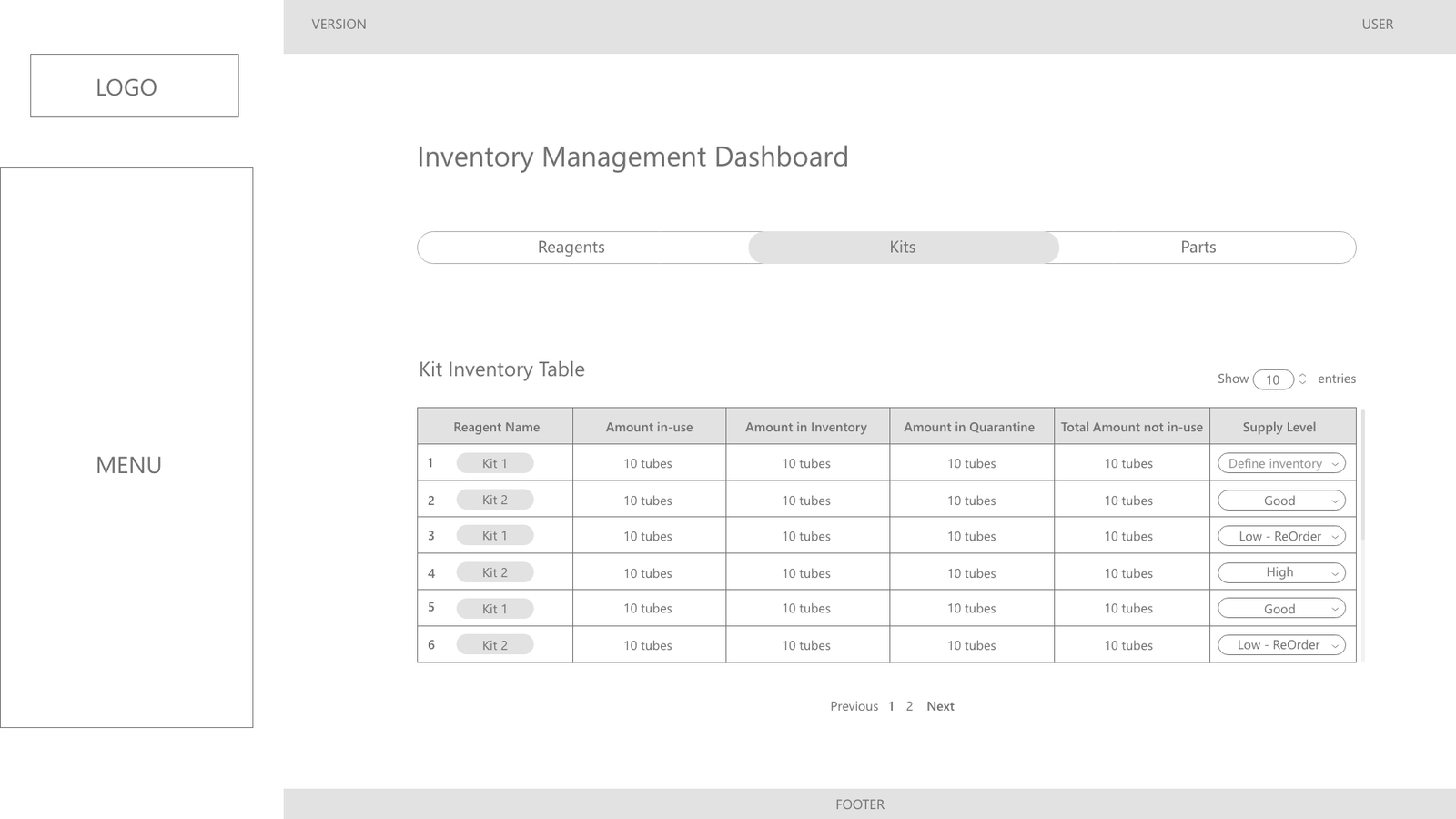
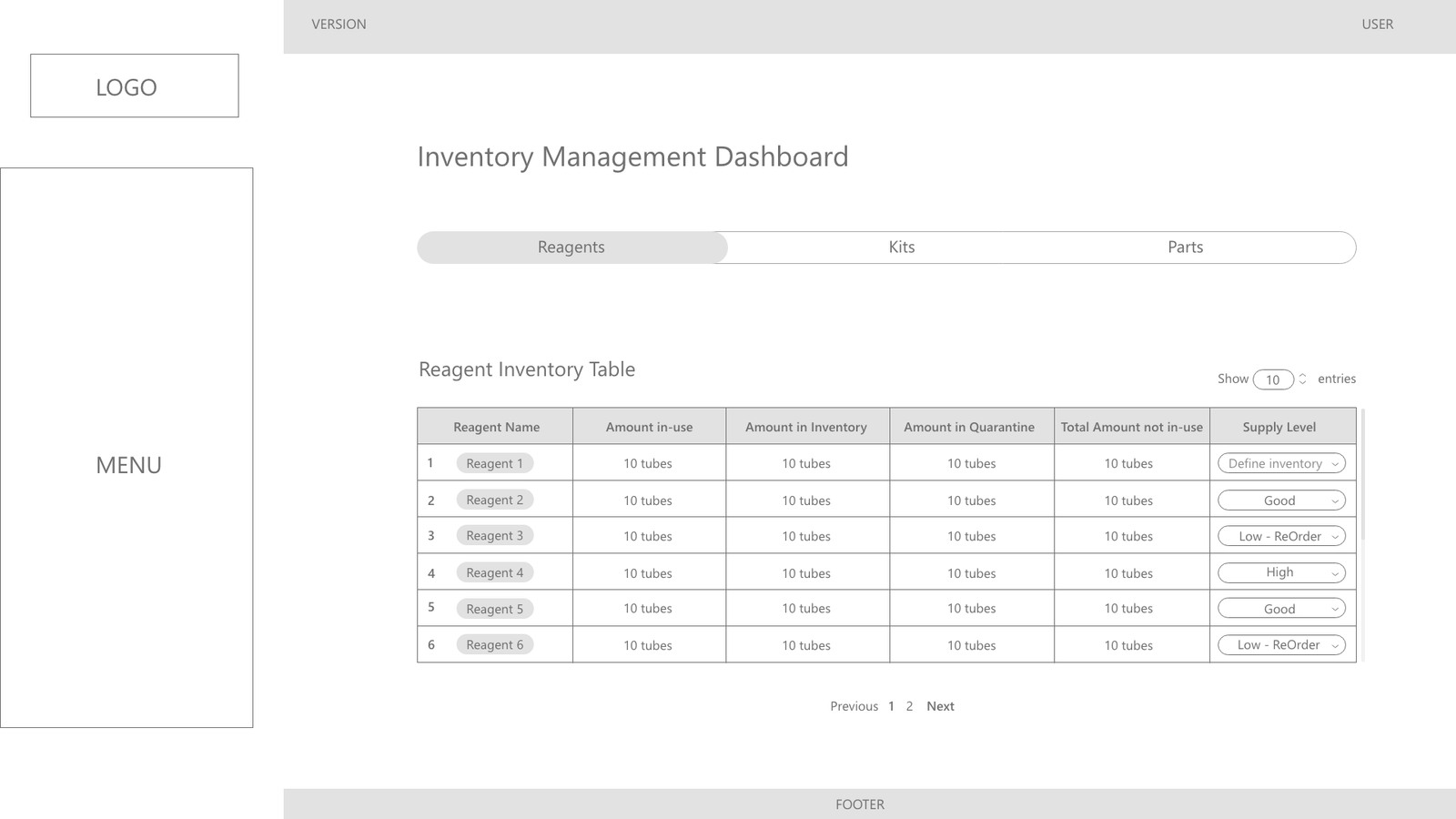
Technicians and bioinformáticos needed immediate visibility across complex sample runs without having to navigate back and forth between deep sub-pages:
Clear Row Separation & State Contrast: Structured tabular views with alternate contrast rows and clear hover/active states.
Contextual In-Row Highlighting: In multi-client sample queues, client names (e.g., ixLayer, BSI, PGx) and assay types are visually weighted to prevent cross-contamination of batches.
Inline Drill-Down (Double-Click Exploration): High-level data remains visible on a single line; double-clicking a record opens the granular parameter breakdown or history drawer without losing the technician’s scroll position.
Scalable Paging & Granular Date Selectors: Flexible view toggles (from 20 up to 100 rows per view) combined with persistent date-range pickers to handle high-volume batches.
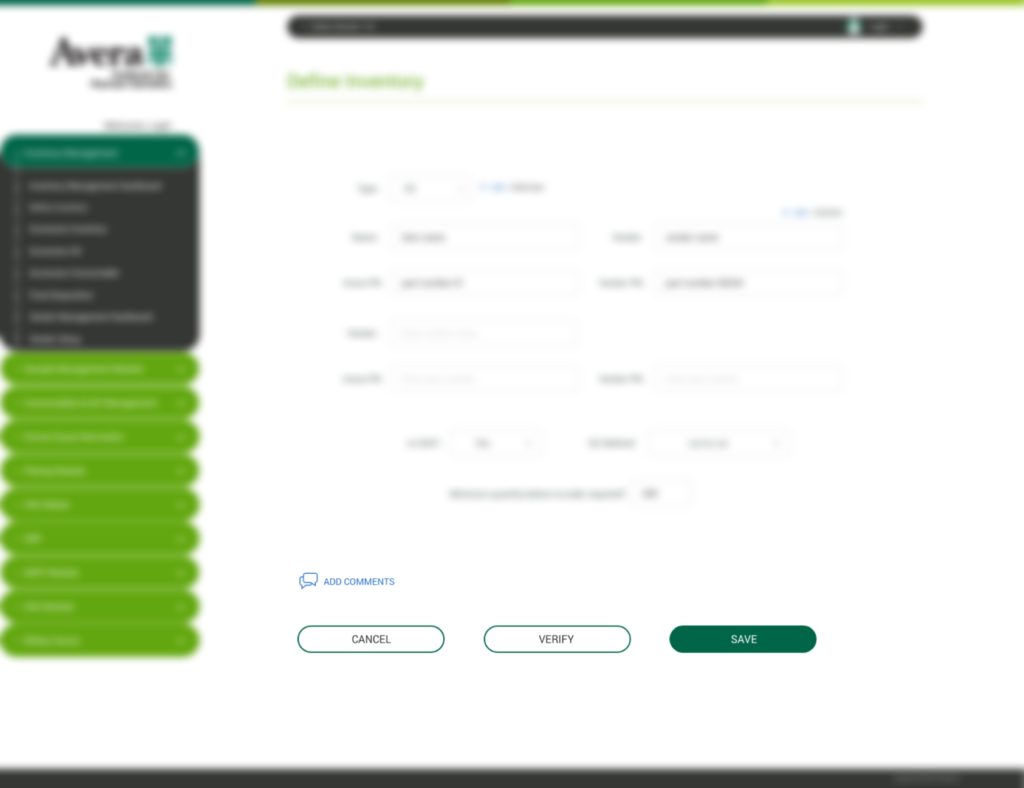
C. Preventative Two-Tier Action: «Verify» vs. «Save»
In many clinical assay steps, submitting an incorrect lot or sample code locks the run or forces a time-consuming manual correction process.
The Solution: We implemented a two-step validation model. The «Verify» button executes an asynchronous pre-check against database rules (validating lot expiration, plate compatibility, and inventory status). This gives technicians a quick checkpoint to spot discrepancies before the «Save» commit locks the run into the permanent chain of custody.
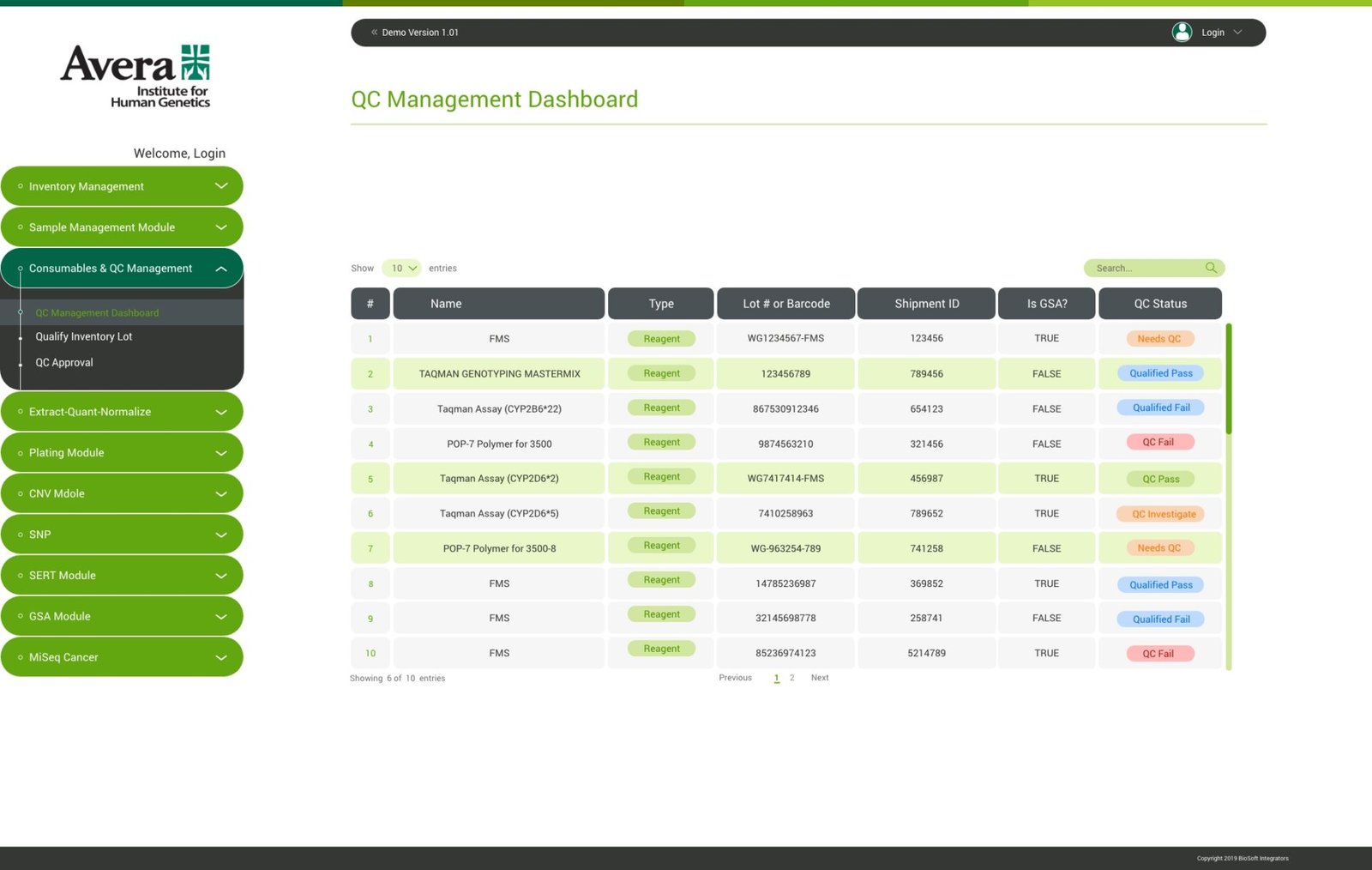
D. Semantic Color Hierarchy for QC States
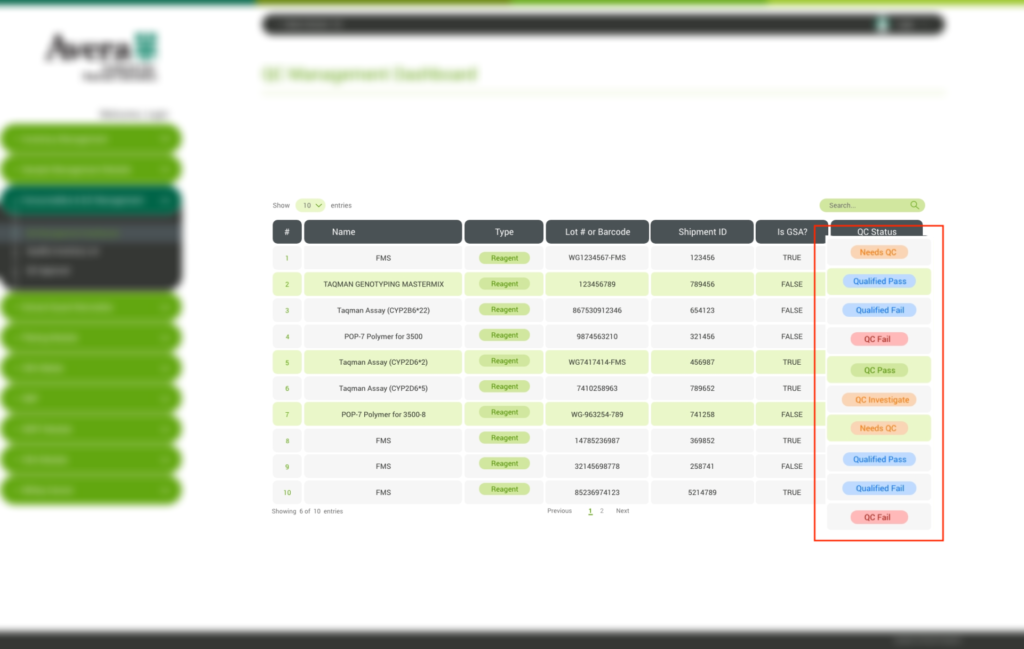
To facilitate instant recognition on busy lab floors, color coding was strictly reserved for operational status cues rather than decoration:
Needs QC (Orange/Amber): Action required before consumable can be used in runs.
Qualified Pass / QC Pass (Soft Green): Lot validated and approved for production.
Qualified Fail / QC Fail (Soft Red): Lot quarantined; hard-blocked from active workflows.
Investigate (Yellow): Discrepancy detected; requires supervisory sign-off.
Key Workflows & Interface Walkthrough
A. Consumables & QC Management Dashboard
Purpose: Ensures no unverified reagent is ever introduced into a live run.
UX Solution: A centralized lot qualification dashboard showing reagent types, Lot barcodes, shipment IDs, and assay-specific flags (e.g., Is GSA?). Technicians can qualify new lots, upload quality certificates, add observation notes, and recommend pass/fail statuses prior to QA sign-off.
B. Wet Lab Protocol Automation: Incubation & EQN (Extract-Quant-Normalize)
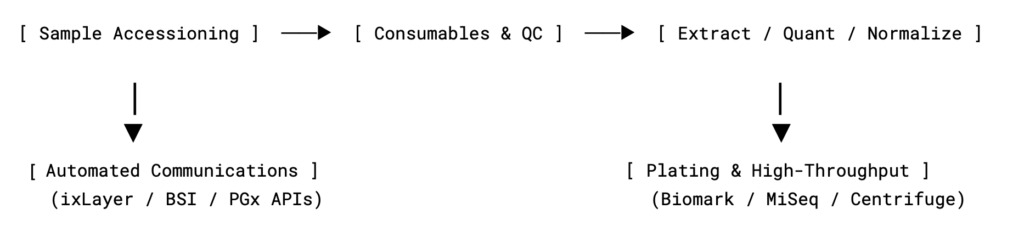
Purpose: Digitally mirror the physical steps performed at wet lab stations (saliva incubation, liquid handling on Biomek, DNA extraction).
UX Solution: Clean sequential forms with dedicated scanning slots for Incubator IDs, operating temperatures, and multiple tube racks. For complex extraction protocols, the UI integrates directly with liquid-handling robots (GET BIOMEK FILES), displaying active tip lots and conductivity parameters in one comprehensive setup screen.
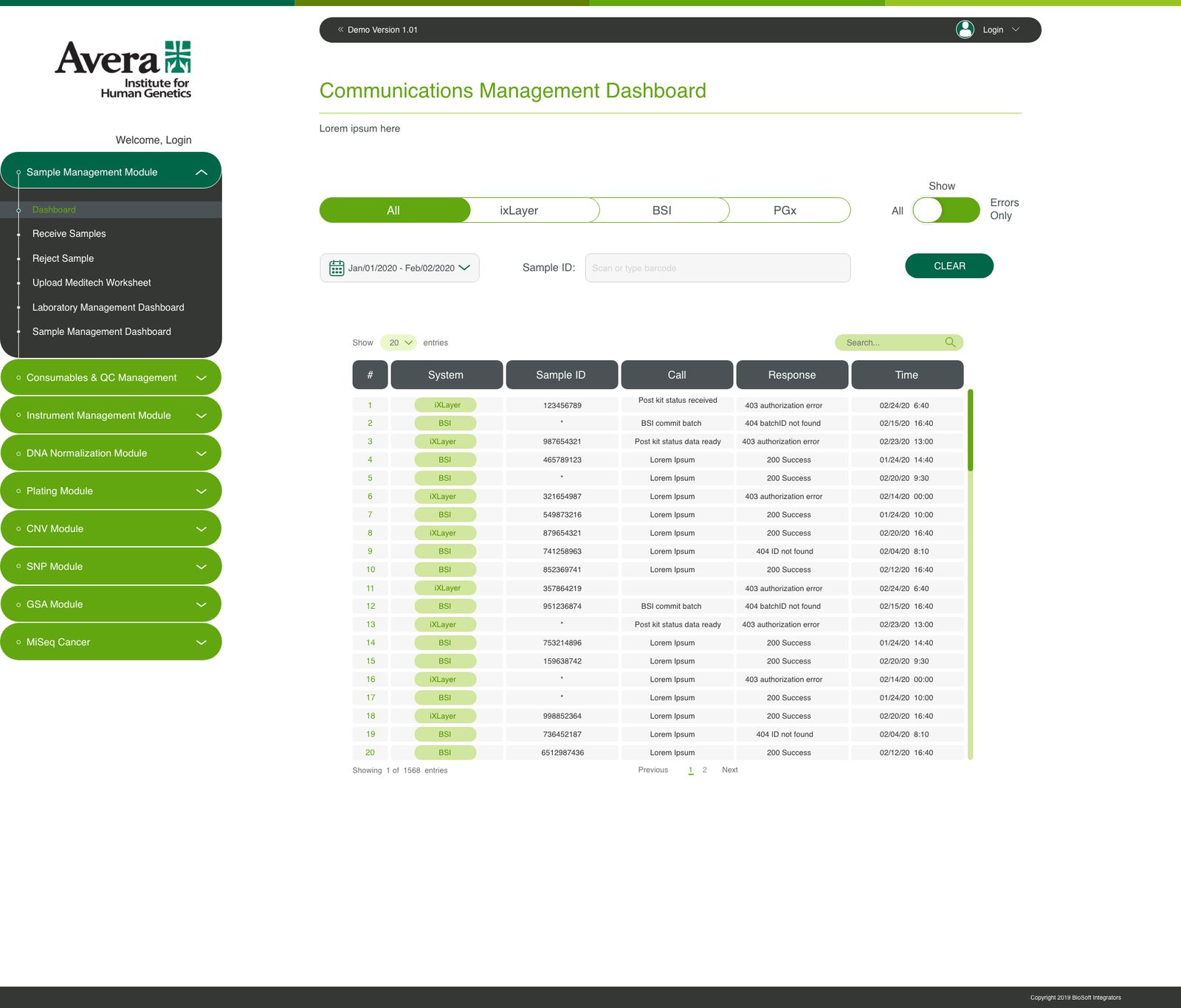
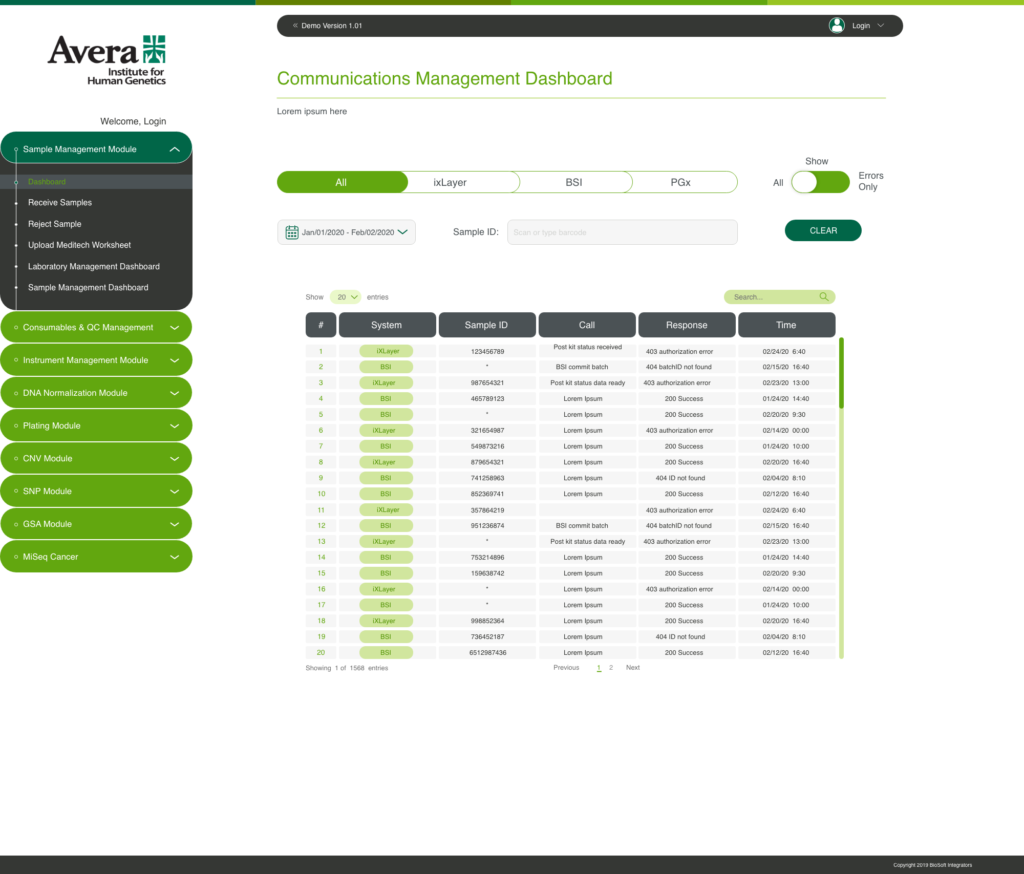
C. Communications & Integration Dashboard
Purpose: Real-time visibility into machine-to-machine and lab-to-client data transmissions.
UX Solution: A dedicated observability console for lab administrators and senior technicians. Features quick system toggles (ixLayer, BSI, PGx), status code filters (Errors Only), and live API payload tracking (200 Success, 403 authorization error, 404 batchID not found) to immediately unblock stuck sample runs.
Core UX Strategies & Interaction Decisions
Unified Digital Chain of Custody: Successfully phased out disconnected tracking spreadsheets, moving 100% of consumable qualification and sample management into a validated digital platform.
Streamlined Ergonomic Workflows: Automated input progression and barcode-first fields minimized physical interaction with keyboards while wearing PPE, significantly reducing clerical overhead at the bench.
HPC & Sequencing Pipeline Optimization: The direct integration between the LIMS data model and High-Performance Computing (HPC) clusters eliminated cloud storage bottlenecks, accelerating end-to-end genomic sequencing turnaround times and automating final data delivery to enterprise clients.
Enterprise Scalability: Established a solid, reusable component system for high-throughput genetics that served as the design benchmark for future specialized biotechnology modules.
Personal Reflection (Solo UX Lead)
Designing Avera Genetics LIMS marked my step into leading an entire enterprise biotechnology product from discovery to delivery. Operating in weekly alignment with wet lab technicians taught me that enterprise UX in clinical spaces is not about visual ornamentation—it is about error prevention, physical ergonomics at the bench, and creating interfaces resilient enough to protect mission-critical human diagnostic data.